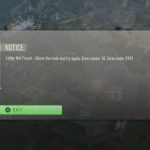
You’re geared up for another round of Black Ops 6, eagerly awaiting that next match, when suddenly your screen flashes with the cryptic “error cause 10 error code 2029”. It’s not just a minor hiccup; this message can completely derail your gaming session, leaving you stranded outside the action. This specific error often signals a breakdown in the crucial communication between your game client and the Black Ops 6 servers, preventing you from joining lobbies or even accessing the game properly.
At a Glance: Getting Past “Cause 10 Code 2029”
- Deciphering the Message: Understand that “Cause 10 Code 2029” typically points to network, authentication, or service communication failures.
- Targeted Troubleshooting: Focus your efforts on optimizing network settings, verifying account status, and ensuring game file integrity.
- Beyond Generic Fixes: Learn specific steps to address the root causes of this particular error, not just general connectivity issues.
- Game Pass Specifics: Grasp how Xbox Game Pass account configurations, especially “Home Xbox” settings, can directly impact this error.
- Proactive Prevention: Discover best practices to reduce the likelihood of encountering this frustrating error again.
Decoding “Error Cause 10 Error Code 2029”: What It Really Means
When Black Ops 6 throws up “error cause 10 error code 2029,” it’s essentially telling you that the game client on your system failed to perform a necessary action, usually related to connecting or authenticating with the game’s online services. “Cause 10” often points to an underlying issue preventing a required process from completing successfully, while “Code 2029” is the specific identifier for that failure. In the context of online gaming, this combination frequently indicates:
- Network Timeouts or Blockages: Your client couldn’t reach the server or complete a data exchange within an expected timeframe. This can be due to unstable internet, router issues, or firewall interference.
- Authentication Failures: The game struggled to verify your identity with Activision or Xbox servers, often linked to account session issues, Game Pass configurations, or outdated tokens.
- Service Communication Errors: A specific game service (like matchmaking, friends list, or storefront) couldn’t be accessed or properly communicated with.
Unlike a generic “connection lost,” “Cause 10 Code 2029” suggests a more specific type of communication breakdown, making targeted troubleshooting more effective.
The Overlap with Black Ops 6’s Lobby Woes
While Black Ops 6 players often encounter the broader “Lobby Not Found” issue, officially designated as Error Code 2901, “error cause 10 error code 2029” is a more granular diagnostic. Think of it as a specific red flag within the larger warning system. Often, “Cause 10 Code 2029” is an underlying symptom or a precursor to the 2901 error, preventing the game from even getting to the point of searching for a lobby. If your game can’t properly authenticate or establish initial server communication due to a “Cause 10 Code 2029” type issue, it certainly won’t be able to find a lobby. If you’re wrestling with persistent lobby connection problems and want a comprehensive overview of how to tackle the overarching ‘Lobby Not Found’ error, refer to our detailed guide: Fix 2901 Lobby Not Found.
Common Culprits Behind “Cause 10 Code 2029”
Understanding the likely sources of this error is the first step towards a solution.
Network Instability & DNS Hiccups
Your internet connection might appear fine for browsing, but online gaming demands consistent, low-latency communication. “Cause 10 Code 2029” can frequently stem from your system struggling to establish or maintain that critical link with Activision’s servers. An inefficient Domain Name System (DNS) server, for example, might slow down the resolution of server addresses, leading to connection timeouts. Similarly, packet loss on your network can disrupt the constant stream of data required for a stable game session.
Account Authentication Glitches
Modern games like Black Ops 6 rely heavily on seamless authentication with your Activision ID and, for Game Pass users, your Xbox account. If there’s a mismatch, a corrupted session token, or an issue with your account’s permissions, the game can fail to properly verify you with the servers. This often manifests as an inability to connect to online services, potentially triggering “error cause 10 error code 2029.” Shared Game Pass accounts, where the “Home Xbox” isn’t correctly configured, are a prime example of an authentication issue that can cause this.
Firewall and Antivirus Interference
Your PC’s security software, while vital for protection, can sometimes be overzealous. Firewalls might mistakenly identify Black Ops 6’s network traffic as suspicious, blocking essential incoming or outgoing connections. This interference prevents your game client from communicating effectively with the game servers, leading to the dreaded “Cause 10 Code 2029” as the game fails to establish a critical handshake.
Corrupted Game Files and Cache
Even if your network and account are perfect, damaged game files or a build-up of corrupted cache data can disrupt the game’s ability to run correctly and connect online. The game might attempt to load a corrupted asset or use an outdated piece of cached data during a connection attempt, causing a failure that registers as “Cause 10 Code 2029.” This is particularly relevant after updates or if your system has experienced unexpected shutdowns.
Server-Side Peculiarities
While less common for a specific client-side error code like “Cause 10 Code 2029,” server-side issues can sometimes cascade. If Activision’s servers are undergoing maintenance, experiencing high load, or having their own internal communication problems, your client’s legitimate connection attempts might be met with an unexpected response or a lack of response, which your game interprets as a local failure. Always check server status as a baseline.
Your Actionable Playbook: Fixing Error Cause 10 Error Code 2029
Don’t let this error code keep you from the fight. Here’s a structured approach to troubleshooting and resolving “error cause 10 error code 2029.”
Phase 1: The Quick Checks – Reset and Verify
These are your immediate, go-to steps. They resolve a surprisingly high percentage of temporary glitches.
- Verify Black Ops 6 and Xbox Server Status
- Why it helps: Before you dive into complex troubleshooting, confirm the problem isn’t on their end. “Cause 10 Code 2029” could be your game client’s way of saying, “I tried to connect, but the server wasn’t ready.”
- How to do it:
- Visit the official Activision Support website.
- Check the Xbox Live Status page (status.xbox.com).
- Look for any announcements regarding Black Ops 6 or Call of Duty services.
- Scenario: You check the Activision status page and see “Limited Connectivity” for Black Ops 6. This immediately tells you to wait it out, as your connection attempts are hitting a server experiencing problems.
- Restart Everything
- Why it helps: A simple restart can clear temporary network glitches, refresh IP addresses, and resolve software conflicts. This applies to your game, your console/PC, and especially your router/modem. It’s like giving all your devices a fresh slate for communication.
- How to do it:
- Game: Fully close Black Ops 6 and relaunch.
- Router/Modem: Unplug for 30 seconds, then plug back in. Wait for all lights to stabilize.
- Console/PC: Perform a full power cycle (not just rest mode).
- Scenario: After restarting your router, your PC, and Black Ops 6, the game launches smoothly, and you can access lobbies. The temporary network hiccup that caused “Cause 10 Code 2029” has been resolved.
Phase 2: Network Deep Dive – Optimizing Your Connection
Many “Cause 10 Code 2029” errors point directly to network communication issues. These steps aim to stabilize and optimize your connection to game servers.
- Adjust Your DNS Settings
- Why it helps: Your DNS server translates website names (like activision.com) into IP addresses. A slow or unreliable DNS can cause delays in resolving game server addresses, leading to connection timeouts that manifest as “Cause 10 Code 2029.” Switching to faster, more reliable DNS servers (like Cloudflare’s 1.1.1.1) can significantly improve connection stability.
- How to do it (PC/Console):
- PC (Windows): Go to Network & Internet settings > Change adapter options. Right-click your active connection (Ethernet or Wi-Fi) > Properties > Select “Internet Protocol Version 4 (TCP/IPv4)” > Properties. Choose “Use the following DNS server addresses” and enter:
- Primary DNS:
1.1.1.1 - Secondary DNS:
1.0.0.1 - Xbox/PlayStation: Navigate to your console’s network settings, typically under “Advanced Settings” or “Manual Setup,” and input the same DNS addresses.
- Scenario: You’ve been experiencing intermittent “Cause 10 Code 2029” errors. After switching to Cloudflare DNS, you notice a dramatic reduction in connection problems, indicating your ISP’s default DNS was causing resolution delays.
- Try a Different Internet Connection (Mobile Hotspot)
- Why it helps: This step isolates whether the issue is with your primary internet service provider (ISP) or your local network setup. If the game connects flawlessly via a mobile hotspot, it strongly suggests your ISP or home network hardware (router, modem) is the culprit behind “Cause 10 Code 2029.”
- How to do it:
- Enable the mobile hotspot feature on your smartphone.
- Connect your PC or console to this hotspot.
- Launch Black Ops 6 and attempt to connect.
- Scenario: Black Ops 6 fails with “Cause 10 Code 2029” on your home Wi-Fi but connects fine via your phone’s 5G hotspot. This tells you to contact your ISP or check your home router for issues, as the problem is external to your gaming device.
- Use a Wired Ethernet Connection
- Why it helps: Wi-Fi is convenient but susceptible to interference and signal drops, leading to packet loss and inconsistent connection quality. A wired Ethernet connection provides the most stable and fastest connection, eliminating potential wireless issues that could cause “Cause 10 Code 2029.”
- How to do it: Simply connect an Ethernet cable directly from your router to your PC or console.
- Scenario: Your game frequently drops with “Cause 10 Code 2029” during peak hours on Wi-Fi. Switching to a direct Ethernet connection resolves the issue, indicating wireless congestion or interference was the root cause.
- Check Firewall and Antivirus Settings
- Why it helps: As mentioned, security software can block game traffic. Ensuring Black Ops 6 is whitelisted or temporarily disabling these tools helps identify if they are interfering with the game’s online communication, a common trigger for “Cause 10 Code 2029.”
- How to do it:
- Windows Firewall: Go to “Windows Security” > “Firewall & network protection” > “Allow an app through firewall.” Ensure Black Ops 6 (or Call of Duty HQ) and its associated launchers (Steam, Battle.net, Xbox App) are listed and allowed for both Public and Private networks.
- Third-Party Antivirus/Firewall: Consult your specific software’s documentation to add Black Ops 6 as an exception or temporarily disable it for testing.
- Scenario: After a recent antivirus update, you start getting “Cause 10 Code 2029.” You add Black Ops 6 to your antivirus exceptions, and the error disappears, confirming the software was blocking crucial connections.
Phase 3: Account and Game Integrity – Ensuring a Clean Slate
Sometimes the problem isn’t with your connection, but with how your game or account is configured to use that connection.
- Address Game Pass Account Settings (Xbox Users)
- Why it helps: “Cause 10 Code 2029” on Xbox Game Pass often points to authentication issues, especially with shared accounts. Black Ops 6 is known to have strict requirements regarding Game Pass access. Ensuring your main account is linked and your “Home Xbox” is set correctly is paramount for proper authorization.
- How to do it:
- Activision ID Link: Ensure your Activision ID is linked to the primary Xbox Game Pass account that owns the game.
- Set “Home Xbox”: On your console, press the Xbox button > Profile & system > Settings > General > Personalization > My home Xbox. Select “Make this my home Xbox.” This grants full game and subscription sharing rights, ensuring your game can properly authenticate.
- Scenario: You’ve been playing Black Ops 6 on a friend’s Game Pass. When you get “Cause 10 Code 2029,” you realize your console isn’t set as the “Home Xbox” for that account. Correcting this resolves the authentication issue.
- Re-login to Your Activision Account
- Why it helps: Similar to clearing your browser cache, logging out and back into your Activision account within the game forces a refresh of your session tokens and authentication data. Corrupted or stale tokens can prevent the game from verifying your identity with the servers, leading to “Cause 10 Code 2029.”
- How to do it:
- Launch Black Ops 6.
- Go to Settings > “Account & Network.”
- Find the option to “Log Out” of your Activision account.
- Clear your browser’s cache and cookies (if you use an external browser for login).
- Log back in when prompted.
- Scenario: You’ve been playing for hours, and suddenly “Cause 10 Code 2029” appears. Logging out and back into your Activision account allows the game to re-establish a clean authenticated session, fixing the problem.
- Verify Game Files
- Why it helps: Corrupted or missing game files can prevent Black Ops 6 from launching correctly or communicating properly with online services. The “Cause 10 Code 2029” might stem from the game trying to access a damaged asset during a connection routine. Verifying files ensures all game data is intact and correct.
- How to do it:
- Steam: In Library, right-click Call of Duty > Properties > “Installed Files” (or “Local Files”) > “Verify integrity of game files.”
- Battle.net: On the Call of Duty tab, click the cogwheel icon next to “Play” > “Scan and Repair” > “Begin Scan.”
- Xbox App (Game Pass PC): In the Xbox app, right-click Call of Duty > Manage > “Files” tab > “Verify and Repair.”
- Scenario: After a game crash, you start seeing “Cause 10 Code 2029.” Running a file verification discovers and repairs several corrupted files, after which the game connects normally.
Phase 4: Advanced Troubleshooting – When All Else Fails
These are more intensive steps for persistent problems.
- Update Graphics Drivers
- Why it helps: While less directly related to network errors, outdated graphics drivers can cause instability that manifests in various unexpected ways, including crashes or failures to launch/connect, which could indirectly trigger “Cause 10 Code 2029.” Modern games rely on these drivers for optimal performance, and an out-of-date one might conflict with game processes, leading to connection issues.
- How to do it:
- Identify your GPU (NVIDIA, AMD, Intel).
- Visit the official manufacturer’s website (nvidia.com, amd.com, intel.com/support).
- Download and install the latest drivers for your specific model.
- Scenario: You’ve tried everything else, and “Cause 10 Code 2029” persists. Updating your graphics drivers, which haven’t been touched in months, stabilizes your system, and the error disappears.
- Reinstall Black Ops 6
- Why it helps: This is the ultimate “clean slate.” A full reinstall ensures you have completely fresh game files and eliminates any deeply corrupted data, registry issues, or obscure installation problems that file verification might have missed. If “Cause 10 Code 2029” points to a fundamental game client issue, a reinstall is the most comprehensive fix.
- How to do it:
- Uninstall Black Ops 6 through your respective launcher (Steam, Battle.net, Xbox App).
- Ensure any leftover game folders are manually deleted (check common install locations).
- Re-download and install the game.
- Scenario: After multiple attempts with other fixes, “Cause 10 Code 2029” still appears. A complete reinstall, though time-consuming, finally resolves the issue, suggesting a deep-seated file corruption or installation error.
Real-World Scenarios & Troubleshooting Paths
- The “Post-Update Jitters” Scenario: You’ve just downloaded a large Black Ops 6 update, and now you’re constantly seeing “error cause 10 error code 2029.”
- Path: Start with Verifying Game Files (the update might have corrupted something) and then Restart Everything (clear old cache). If it persists, check your Firewall/Antivirus settings, as the update might have changed game executables, making them appear as a “new” threat.
- The “Friends Can Play, I Can’t” Scenario: Your squad is online in Black Ops 6, but you’re stuck with “Cause 10 Code 2029.”
- Path: This immediately points away from server-wide issues. Focus on your local setup: Restart Devices, Adjust DNS Settings, and try a Wired Connection. Also, consider Re-logging to Activision Account to ensure your session is fresh.
- The “Game Pass Share” Scenario: You’re playing Black Ops 6 via Xbox Game Pass, and “Cause 10 Code 2029” is a frequent visitor.
- Path: This is a strong indicator of Game Pass Account Settings issues. Double-check your Activision ID linking and critically ensure your console is set as the “Home Xbox” for the Game Pass account holding Black Ops 6.
Quick Answers: Your “Cause 10 Code 2029” FAQ
Q: Is “Error Cause 10 Error Code 2029” always my internet’s fault?
A: Not exclusively. While network issues are a common culprit, it can also stem from account authentication problems, corrupted game files, or even an overzealous firewall. It’s about a communication failure, and that can originate from several points.
Q: Can a VPN help fix “Cause 10 Code 2029”?
A: Sometimes. A VPN can reroute your internet traffic, potentially bypassing congested or problematic routes from your ISP to the game servers. If your ISP is the problem, a VPN might offer a temporary workaround. However, VPNs can also introduce latency, so it’s not a guaranteed fix and should be tested carefully.
Q: What if I’m on a shared Xbox Game Pass account and getting this error?
A: This is a very likely cause. Black Ops 6 often requires the Game Pass account holder to designate their primary console as the “Home Xbox.” If this isn’t done, or if you’re trying to play on a different console via game sharing, you’ll encounter authentication failures, which can trigger “Cause 10 Code 2029.” Ensure the correct “Home Xbox” is set.
Q: How do I know if my firewall is blocking Black Ops 6?
A: The easiest way to test is to temporarily disable your firewall (and antivirus) and try connecting to Black Ops 6. If the error disappears, you’ve found your culprit. Remember to re-enable your security software immediately and then add an exception for Black Ops 6.
Q: My game often crashes before this error appears. Are they related?
A: Possibly. A game crash can corrupt temporary files or memory, leading to connection failures upon relaunch. Try verifying game files after a crash, as that ensures a clean base for the game to operate from and potentially avoid “Cause 10 Code 2029” during connection attempts.
Moving Past the Error: Concrete Next Steps
Encountering “error cause 10 error code 2029” in Black Ops 6 is undeniably frustrating, but it’s a solvable problem. The key is to approach it systematically. Start with the easiest, most common fixes like device restarts and server status checks. If the error persists, dive deeper into your network settings, particularly your DNS, and ensure your account and game files are in perfect order.
Remember to tackle one potential solution at a time, testing after each step. This method helps you pinpoint the exact cause without making multiple changes that could complicate troubleshooting. If after exhausting all these options the error continues, gather details on everything you’ve tried and reach out to Activision Support. They can access deeper diagnostics specific to your account and potentially escalate the issue. With a bit of patience and methodical effort, you’ll be back in the Black Ops 6 action, dominating the lobbies in no time.