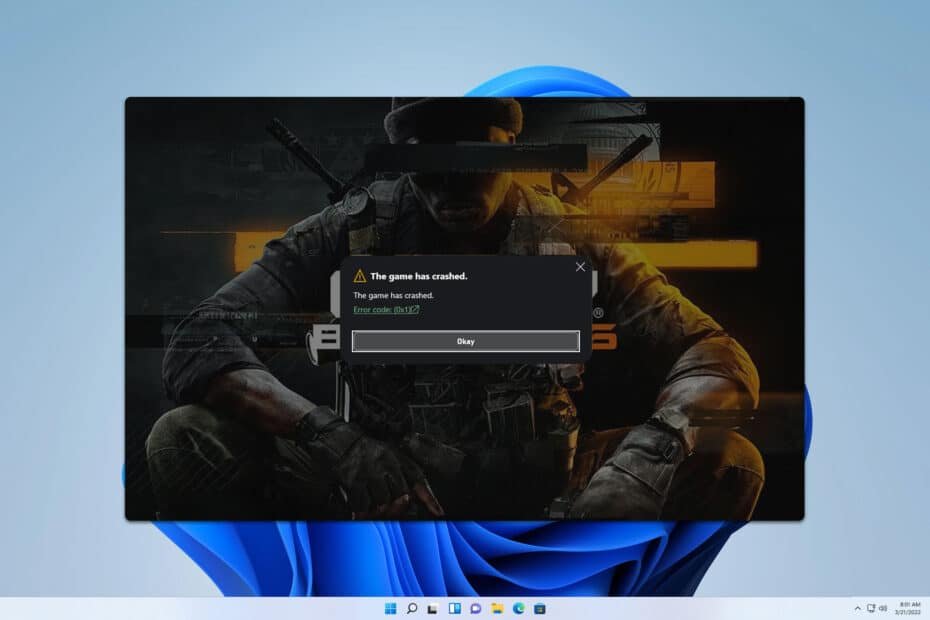
Frustrated by Error Code 2030 BO6 popping up just as you’re gearing up for a Black Ops 6 session? You’re not alone. This specific error typically slams the door shut on your gaming plans, often before you even reach a lobby, signalling a crucial communication breakdown between your game and the Black Ops 6 servers. While distinct from the “Lobby Not Found” message you might see with Error Code 2901, 2030 shares many of its root causes, fundamentally pointing to an issue in establishing or maintaining a stable connection. Knowing how to fix error code 2030 BO6 means tackling these underlying network, server, and client-side challenges methodically.
At a Glance: Your Quick Fixes for Error Code 2030 BO6
- Server First: Always check Black Ops 6 and platform server status before extensive troubleshooting.
- Restart Everything: A simple reboot of your game, device, and router can clear many transient issues.
- Stabilize Your Network: Ensure a strong, stable internet connection; consider wired over Wi-Fi.
- Flush DNS & Experiment: Clear your DNS cache and try public DNS servers like Google or Cloudflare.
- Verify Game Files: Corrupted game data can prevent proper server handshakes.
- Re-authenticate Account: Clear browser cache/cookies within the game and re-login to your Activision ID.
Understanding Error Code 2030: What’s Really Happening?
When Black Ops 6 throws up Error Code 2030, it’s essentially telling you, “I can’t talk to the server right now.” Think of it like trying to make a phone call, but the line is either busy, disconnected, or there’s an issue with your phone itself. While Error Code 2901 might indicate the game found a server but couldn’t find a lobby on it, 2030 often implies a more fundamental failure to connect at all, or a disconnection mid-process.
This can stem from various points: Activision’s servers might be undergoing maintenance, your home network might be struggling, your game files could be corrupted, or even an authentication token might be expired. Identifying the exact culprit requires a systematic approach, moving from the broadest possibilities to the most granular.
Initial Triage: The Essential Checks for Getting Back into BO6
Before diving into complex network configurations, let’s cover the foundational steps that resolve a surprising number of errors. These are your first line of defense against Error Code 2030 BO6.
1. Confirm Server Status: Is the Problem Activision’s, Not Yours?
It’s easy to blame your own setup, but sometimes, the game’s servers are simply offline for maintenance or experiencing unexpected downtime. This is often the quickest diagnosis.
- Where to Check:
- Activision Support: Visit the official Activision Support website. They typically have a dedicated section for server status updates.
- Xbox Status: If you’re on Xbox, check the official Xbox Status page.
- PlayStation Network (PSN) Status: For PlayStation users, review the PSN Service Status page.
- Community Channels: Sometimes, official Black Ops 6 social media accounts (Twitter/X, Reddit) will announce outages.
Action: If servers are down, there’s nothing you can do but wait. Trying advanced fixes at this stage is wasted effort. Set a timer and try again later.
2. The Classic Reboot: Refresh Your Ecosystem
This is troubleshooting 101 for a reason: it works. A simple power cycle can clear out temporary glitches in your system’s memory, network adapters, and router’s connection.
- Steps:
- Exit Black Ops 6 completely. Ensure the game is not running in the background.
- Restart your gaming device. This means a full shutdown and restart for your PC or console (Xbox, PlayStation).
- Power cycle your router/modem. Unplug your router and modem from their power source for at least 30 seconds. Plug them back in and wait for all indicator lights to stabilize before relaunching Black Ops 6.
Why it Helps: This flushes out old network connections, refreshes IP addresses, and clears temporary software bugs that might be preventing a clean connection.
3. Verify Your Internet Stability and Speed
A weak or inconsistent internet connection is a prime suspect for Error Code 2030. The game needs a stable link to communicate with servers.
- Perform a Speed Test: Use an online speed test tool (e.g., Speedtest.net) to check your download, upload, and ping. Look for stable results; large fluctuations or unusually high ping are red flags.
- Wired vs. Wireless: If you’re on Wi-Fi, try connecting your PC or console directly to your router with an Ethernet cable. Wi-Fi can be susceptible to interference, distance issues, and signal drops that a wired connection mitigates.
- Test with Another Connection (if possible): If you have a mobile hotspot, try connecting your device to it for a brief test. If Black Ops 6 connects successfully on the hotspot, the issue likely lies with your primary ISP or home network setup.
Insight: A perfectly fine speed test might still mask intermittent packet loss, which can be devastating for real-time online gaming. A wired connection minimizes this risk significantly.
Deep Dive into Network Reliability: Beyond the Basics
If the initial checks didn’t clear Error Code 2030 BO6, it’s time to look deeper into your network configuration. These steps address common client-side network issues.
4. Refresh Your DNS: Clearing the Path to Activision’s Servers
Your Domain Name System (DNS) acts like a phonebook for the internet, translating website names (like activision.com) into IP addresses (like 104.1.2.3). Corrupted or outdated DNS entries can misdirect your game or slow down the lookup process, leading to connection failures.
- Flush DNS Cache (Windows):
- Open Command Prompt as an administrator. (Search for
cmd, right-click,Run as administrator). - Type
ipconfig /flushdnsand press Enter. - You should see a confirmation: “Successfully flushed the DNS Resolver Cache.”
- Flush DNS Cache (Mac):
- Open Terminal (Applications > Utilities > Terminal).
- Type
sudo dscacheutil -flushcache; sudo killall -HUP mDNSResponderand press Enter. - Enter your administrator password when prompted.
- Consider Public DNS Servers: Sometimes, your ISP’s default DNS servers can be slow or unreliable. Switching to public DNS like Google DNS (8.8.8.8, 8.8.4.4) or Cloudflare DNS (1.1.1.1, 1.0.0.1) can improve connection stability and speed.
- How to Change DNS: This is typically done in your network adapter settings on PC or console settings, or directly in your router’s configuration page. Search for “[Your OS/Console] change DNS server” for specific instructions.
Practical Tip: Flushing DNS is like getting a fresh, up-to-date phonebook. It ensures your system is looking for the right numbers to call Activision’s servers.
5. Firewall and Antivirus Check: Is Your Security Blocking the Game?
Security software, while essential, can sometimes be overzealous and block legitimate game connections, interpreting them as threats.
- Temporarily Disable: As a test, temporarily disable your firewall (Windows Defender Firewall, macOS firewall) and antivirus software. Launch Black Ops 6. If it connects, you’ve found the culprit.
- Important: Re-enable your security software immediately after testing.
- Add Exceptions: If disabling helps, add Black Ops 6 (the game executable) and its associated launcher (Battle.net, Steam, Xbox App) to your firewall and antivirus’s exclusion or whitelist. Consult your software’s documentation for specific steps.
Scenario: Imagine your security guard at a venue checking IDs. If they’re too strict, they might mistakenly turn away a valid guest (your game), thinking they’re a threat.
6. VPN Considerations: A Double-Edged Sword
If you’re using a Virtual Private Network (VPN), it could be interfering with your connection to Black Ops 6 servers.
- Disable VPN for Testing: If you use a VPN, try disabling it completely and launching the game. If
Error Code 2030disappears, your VPN is the issue. It might be routing you through servers that are blocked or have high latency to Activision. - Try a Different VPN Server/Location: If you need a VPN for other reasons, try connecting to a different server location through your VPN provider.
- Consider a VPN if ISP Routing is Bad: Conversely, in rare cases where your ISP has poor routing to game servers, a VPN can sometimes improve connectivity by taking a more direct route. This is less common for
Error Code 2030but worth noting.
Client-Side Integrity & Account Nuances: Beyond the Network
Sometimes, the network is fine, but the problem lies with your game installation or how your account is authenticated.
7. Verify Game Files: Ensuring Your Game is Whole
Corrupted or missing game files can lead to all sorts of unpredictable errors, including connection failures, as the game might not properly initialize the network modules or connect to the right endpoints. This solution is also crucial for broader connection issues like those causing Error Code 2901. For more extensive insights into related connection problems, consider checking out this detailed guide on Fix Black Ops 6 Error 2901.
- Battle.net (PC):
- Open the Battle.net client.
- Go to the
Call of Duty: Black Ops 6tab. - Click the cogwheel icon (Settings) next to the
Playbutton. - Select
Scan and Repair. - Click
Begin Scan.
- Steam (PC):
- Open your Steam Library.
- Right-click
Call of Duty: Black Ops 6. - Select
Properties. - Go to the
Local Filestab. - Click
Verify integrity of game files....
- Xbox App (PC via Game Pass):
- Open the Xbox app.
- Right-click
Call of Duty: Black Ops 6. - Select
Manage. - Go to the
Filestab. - Click
Verify and Repair.
- Console (Xbox/PlayStation): Console users generally have fewer manual options. A full reinstallation of the game is often the equivalent of a “verify and repair” on consoles if other steps fail.
Why it Matters: Just like a missing page in an instruction manual, a corrupted game file can prevent the game from knowing how to connect to the server.
8. Re-authenticate Your Activision Account: Fresh Credentials
Your Activision account links your game to your online profile and services. An expired session, corrupted token, or temporary authentication glitch can prevent a successful connection, often manifesting as a generic connection error like 2030.
- Steps for Activision Re-login:
- Launch Black Ops 6.
- Navigate to the game’s settings menu (often a gear icon).
- Look for
Account & Networkor a similar option. - If a browser pop-up appears for login, make sure to clear its cache and cookies before attempting to re-login. This forces a fresh authentication.
- Log out of your Activision account within the game.
- Restart the game and log back in, providing your credentials anew.
Important for Game Pass Users:
If you’re playing Black Ops 6 via Xbox Game Pass, ensure:
- It’s your primary Game Pass account: Avoid using shared Game Pass accounts (game sharing for BO6 is often restricted). Link your Activision ID to the specific Game Pass account.
- “Home Xbox” is set (Xbox Console): If playing on Xbox, ensure the console you’re using is designated as your “home Xbox.”
- Power on your Xbox and log in.
- Press the Xbox button on your controller.
- Navigate to
Profile & system>Settings>General>Personalization. - Select
My home Xboxand chooseMake this my home Xbox.
This step helps validate licenses and prevent authentication issues that can resemble connection errors.
Case Snippet: Player C was getting 2030 constantly. After trying network fixes, they remembered they had recently swapped Xbox accounts. Re-setting their “home Xbox” fixed the issue, as the game could then properly authenticate the Game Pass license.
9. Update GPU Drivers (Less Direct, Still Relevant)
While graphics drivers rarely directly cause network errors, an outdated or corrupted driver can lead to system instability, crashes, or general performance issues that might indirectly trigger connection problems or prevent the game from loading network components correctly.
- Check for Updates: Visit the official website of your graphics card manufacturer (NVIDIA, AMD, Intel) and download the latest drivers for your specific GPU model.
- Perform a Clean Installation: Many driver installers offer a “clean installation” option, which removes previous driver files before installing new ones. This helps prevent conflicts.
The Troubleshooting Playbook: Your Decision Path
Facing Error Code 2030 BO6 can feel overwhelming, but a systematic approach yields results. Here’s a structured path to follow:
- Start Broad (Server & Basic Network):
- Check Server Status: Always step one. If servers are down, stop here.
- Restart Everything: Game, PC/Console, Router/Modem.
- Internet Stability: Speed test, consider wired connection.
- Move to Network Specifics (Client-Side Network):
- Flush DNS Cache: A quick, impactful step.
- Change DNS Servers: Test with Google or Cloudflare DNS if flushing doesn’t help.
- Firewall/Antivirus: Temporarily disable for testing, then add exceptions.
- VPN Check: Disable if using one.
- Address Game/Account Specifics:
- Verify Game Files: Essential for client integrity.
- Re-authenticate Activision Account: Log out, clear cache, log back in.
- Game Pass/Home Xbox: Ensure your setup is correct if using Game Pass.
- Last Resorts:
- Full Game Reinstallation: If file verification fails or isn’t an option (consoles), this is often the next step.
- Contact Your ISP: If your internet connection consistently tests poorly despite reboots, your ISP might need to investigate.
- Contact Activision Support: Provide them with all the troubleshooting steps you’ve already taken. This speeds up their diagnostic process.
Quick Answers: Your 2030 BO6 FAQs
Q: Is Error Code 2030 always my internet connection?
A: No, not always. While network issues are a primary cause, Error Code 2030 can also stem from game server problems (Activision’s side), corrupted game files on your device, or even authentication failures with your Activision account or game platform. It signifies a failure to communicate, which has many potential points of failure.
Q: Should I just reinstall Black Ops 6 if I get Error Code 2030?
A: Reinstalling the game should be a last resort. First, try verifying game files (Scan and Repair on Battle.net, Steam, Xbox app) as this is much faster and often resolves file corruption issues without a full download. Only consider a full reinstall if file verification fails or isn’t available for your platform and all other troubleshooting steps have been exhausted.
Q: Can my GPU driver cause Error Code 2030?
A: It’s unlikely that a GPU driver directly causes a network-related error like 2030. However, an outdated or unstable GPU driver can lead to general system instability, crashes, or performance issues that might indirectly impact the game’s ability to run properly and establish a connection. Keeping your drivers updated is good practice but not usually the first suspect for 2030.
Q: What if Black Ops 6 connected fine yesterday, but today I have Error Code 2030?
A: If it worked recently, it strongly suggests a transient issue. Start with checking server status, then a full reboot of your PC/console and router. Often, a temporary ISP glitch, a brief server hiccup, or a minor software conflict that clears with a reboot is the culprit.
Your Next Move Against Error Code 2030
Dealing with Error Code 2030 BO6 can be frustrating, but armed with these troubleshooting steps, you have a clear path forward. The key is to be methodical: start with the simplest, most common solutions and gradually work your way through more complex network and client-side checks. Many players find that a simple router reboot or a DNS flush can resolve the issue quickly. Don’t overlook account re-authentication or verifying your game files, as these often hidden causes can easily mimic network problems.
By systematically addressing each potential cause, you’ll not only fix the error but also gain a deeper understanding of your gaming setup. Get back into the action, squad up, and leave Error Code 2030 in the dust.

- Is Rocket League PS4 Down For You Right Now? - June 8, 2026
- Are Rl Servers Down? Check Live Status and Matchmaking - June 7, 2026
- Rocket League PC Server Status Check for Online Play - June 6, 2026