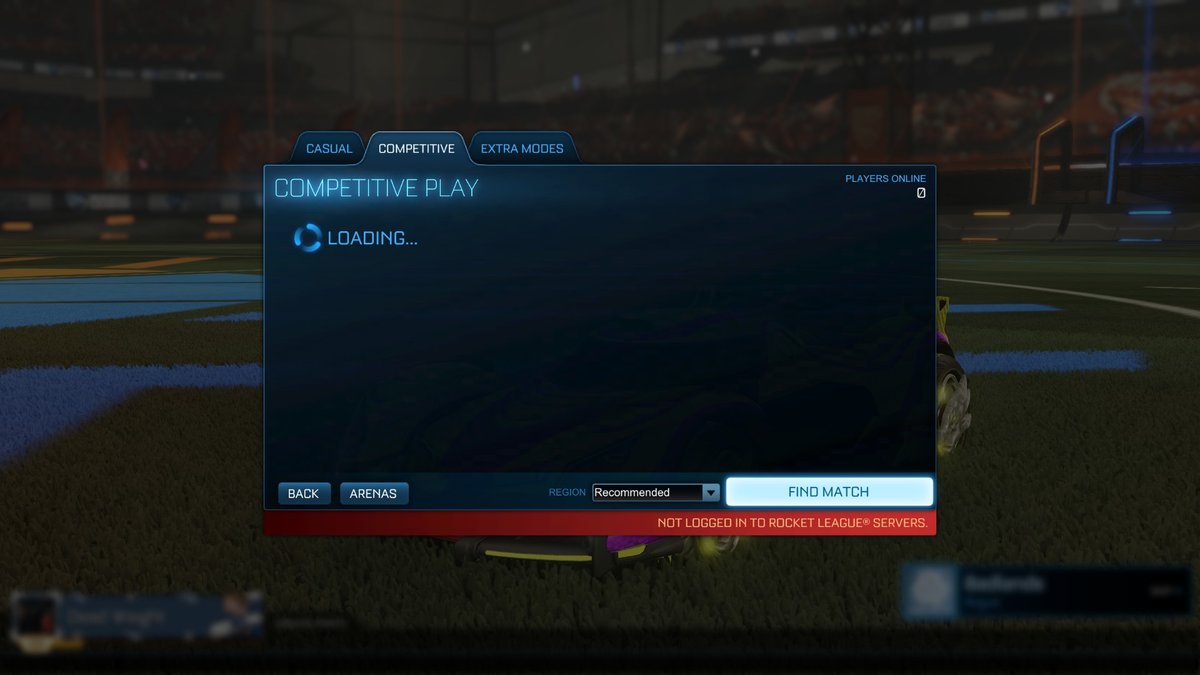
Experiencing sudden lag spikes or failing to connect to a match in Rocket League often triggers the same immediate question: “Are rl servers down?” This isn’t just a minor annoyance; for a game built on split-second decisions and competitive play, server stability is paramount. Knowing how to quickly diagnose whether the issue lies with the game’s infrastructure or your own connection is crucial to getting back on the pitch.
At a Glance
- Differentiate Issues: Learn to tell if it’s a server outage or your personal network causing problems.
- Access Real-Time Data: Understand how to check live server status across global regions.
- Decode Metrics: Interpret latency, jitter, and response times to gauge server health.
- Troubleshoot Smartly: Get a step-by-step playbook for diagnosing and addressing connectivity woes.
- Matchmaking Matters: Recognize why you might struggle to find games even if servers are “up.”
Unpacking the “RL Servers Down” Mystery
Before you start blaming Psyonix or your internet provider, it’s vital to pinpoint the source of your connection trouble. Rocket League’s competitive heart beats on stable rl servers, but sometimes, the problem is closer to home. A slow internet connection, Wi-Fi interference, or even an outdated router can mimic server-side issues, making diagnosis tricky. The key is knowing what information to look for and where to find it, helping you avoid unnecessary troubleshooting steps or frustration.
Server Status vs. Your Personal Connection: A Critical Distinction
When you can’t connect, it’s easy to conflate a global server outage with your own patchy internet. However, these are two very different beasts, and understanding the distinction guides your troubleshooting.
What a Server Status Check Tells You:
A dedicated server status check is like a global health report for the game’s infrastructure. It determines if the game’s core services—like matchmaking, authentication, and actual game hosting—are online, responsive, and accepting connections across different geographical regions. This is your first stop to confirm if the game’s backbone is functioning universally or experiencing a localized hiccup. If rl servers in your region are reported offline, no amount of router resetting will get you into a match.
What Ping Testing Reveals:
Ping testing, conversely, measures the quality of your specific connection to an operational server. It quantifies the time it takes for a small data packet to travel from your device to a server and back. A high ping (measured in milliseconds, ms) indicates a slow, inconsistent, or congested route between you and the server, even if that server is perfectly healthy. This points to potential issues with your local network, your Internet Service Provider (ISP), or the physical distance to the server.
Both checks are crucial. A green light on server status means the game’s infrastructure is generally fine. But if your in-game ping is still spiking, the focus shifts to your end.
Decoding Rocket League Server Health: Beyond Basic Latency
To truly understand what’s happening with rl servers, relying solely on a simple “up or down” isn’t enough. Advanced monitoring tools offer a deeper, real-time look into server performance, providing insights that can help you identify the best connection even when issues are subtle. These tools don’t just check for life; they check for quality of life.
Comprehensive Regional Coverage:
Rocket League’s global player base means its servers are distributed across numerous data centers. A robust status checker will test server infrastructure across all major play regions. This includes:
- North America: Virginia, Ohio, California, Oregon, Montreal (Canada)
- Europe: Dublin, London, Paris, Frankfurt, Stockholm
- Asia: Tokyo, Seoul, Osaka, Singapore, Jakarta
- South America: São Paulo
- Middle East: Bahrain, UAE
- Oceania: Sydney
- Africa: Cape Town
- India: Mumbai
This broad coverage allows you to see if a problem is localized to, say, the EU servers, while NA servers remain perfectly fine.
Real-Time Multi-Metric Analysis:
Beyond just “online,” these tools dive into critical performance metrics: - Instantaneous Latency: The raw round-trip time, measured in milliseconds.
- Average Response Times: A rolling average across multiple connection attempts, giving a more stable view than a single snapshot.
- Connection Stability (Jitter): This measures the variation in latency between consecutive data packets. High jitter means your connection is erratic – one second your ping is 50ms, the next it’s 200ms. This is often more disruptive than consistently high latency, as it makes gameplay feel unpredictable and “choppy.”
Intelligent Server Ranking:
A smart monitoring tool can automatically identify and highlight the best-performing rl server for your current network conditions. This is invaluable, especially if you have high ping to your usual regional server. It might suggest an alternative region offers a more stable, albeit slightly longer, connection path.
Continuous Monitoring:
The best tools don’t just run a one-off check. They perform repeated tests at regular intervals, building a reliability profile for each region. This helps catch intermittent issues – those frustrating moments where servers seem fine one minute and then suddenly become unresponsive.
What a Server Status Checker Really Reveals
When you consult a detailed server status checker, you’re not just looking for a green light. You’re analyzing a rich dataset that offers actionable insights into the health of rl servers.
- Online/Offline Status: This is the baseline. It tells you if a specific regional server cluster is accepting connections at all. If it’s offline, you know immediately the problem isn’t on your end.
- Latency Measurements (milliseconds): This is the core indicator of how quickly data travels. Status tools typically categorize latency into color-coded tiers for quick understanding:
- Green: Excellent connectivity (<200ms) – Smooth, responsive gameplay. This is what you aim for.
- Yellow: Acceptable performance (200-300ms) – Noticeable delay but still playable for many. Minor input lag may be present.
- Orange: Elevated latency (300-399ms) – Significant delays. Gameplay will feel sluggish and reactive. High chance of “ghost hits” or missed aerials.
- Red: Problematic delays (400ms+) – Unplayable for a competitive game like Rocket League. Expect severe rubberbanding, disconnections, and major input lag.
- Average Response Times: While instantaneous latency can spike, the average response time gives you a better idea of consistent performance. If the average is consistently high, even with occasional low pings, it suggests an underlying issue.
- Jitter Analysis: As mentioned, jitter is key to stability. If a server has low latency but high jitter, your experience will still be frustrating due to inconsistent responses. You might hit the ball cleanly one moment, then miss by a mile the next due to a sudden delay.
- Best Server Identification: This feature is often overlooked but incredibly powerful. By analyzing latency and stability across all regions, the tool can suggest the optimal server for you at that precise moment. For example, a player in the eastern US might usually connect to the Virginia server, but if that server is experiencing temporary congestion, the tool might recommend the Ohio server for a smoother experience.
The Backbone of Battle: Rocket League’s Global Server Infrastructure
Rocket League’s seamless, real-time gameplay across platforms isn’t magic; it’s the result of a robust, enterprise-grade server infrastructure. These rl servers are distributed across numerous global data centers, leveraging multiple interconnected regional clusters. Think of it as a worldwide web of supercomputers specifically dedicated to keeping your matches running.
These servers handle an immense workload:
- Matchmaking: Connecting players of similar skill.
- Player Authentication: Verifying your identity and linking to your account.
- Real-Time Physics Calculations: Every car collision, every ball bounce, every boost consumes server resources to ensure consistency across all players’ screens.
- State Synchronization: Ensuring everyone sees the exact same game state at the exact same time, preventing desynchronization issues.
If one regional cluster experiences a localized issue, Psyonix often has redundancy built-in, allowing players to be routed to alternative, nearby servers to maintain service. This intricate network is why checking specific regional performance is so important.
The Matchmaking Maze: Why You Can’t Find a Game
It’s a common scenario: your status checker says rl servers are up, your ping looks fine, but you’re stuck in an endless queue. This often points to issues with the matchmaking servers, which are a critical, yet distinct, component of Rocket League’s online infrastructure.
Matchmaking servers are the conductors of the Rocket League orchestra. They:
- Orchestrate Player Pairing: Connecting solo players or parties into a team.
- Manage Queue Populations: Keeping track of who’s waiting for what game mode.
- Calculate Skill Ratings: Using systems like MMR to ensure fair and competitive matches.
- Balance Teams: Trying to create evenly matched teams based on skill and party size.
- Assign Game Server Instances: Once a match is formed, they hand off the players to an available game server.
If these servers are experiencing issues, you’ll encounter problems like: - Long Queue Times: Matches just won’t form.
- Errors During Queue: Messages like “Matchmaking failed” or “Error finding match.”
- Inability to Find Games: Even if game servers are perfectly healthy, you can’t get into one.
Matchmaking performance isn’t static. It varies significantly by region (North America, Europe, Asia, South America, Middle East, Oceania, Africa) and is heavily influenced by peak activity hours. During off-peak times, you might experience longer queues simply due to fewer players online, not necessarily a server issue. However, if it’s prime time and queues are stagnant, it’s worth checking if matchmaking services specifically are flagged as problematic.
Your Personal Troubleshooting Playbook for RL Server Issues
When Rocket League feels sluggish or unresponsive, follow this playbook to systematically diagnose and resolve the problem.
- Verify Official Server Status:
Your first step should always be to confirm if the rl servers themselves are reporting issues. Use a reliable, real-time status checker. These tools provide instant feedback on server health across all major regions.
- Example: As of March 26, 2026, 11:50 AM PDT, user reports show no widespread problems, and Rocket League is generally working normally. However, historical data from Epic Games (which owns Rocket League) shows they’ve had 6 incidents in the last 90 days, with the last reported Rocket League-specific outage for “Matchmaking Issues” on March 14, 2026. This is why a real-time check is vital. You can find comprehensive, live updates on server status by visiting a dedicated monitor like the one found at the Live Rocket League server status page. This gives you the ground truth directly from the source or a dedicated monitoring service.
- Check Your Local Network:
If rl servers appear fine, the problem likely lies with your internet connection.
- Run a Speed Test: Websites like Speedtest.net can quickly measure your download, upload, and ping. High ping here often indicates a general internet issue.
- Check Your ISP: Look for outages reported by your Internet Service Provider. Many ISPs have status pages or social media channels for real-time updates.
- Restart Your Router/Modem: A classic for a reason. Power cycle both your modem and router by unplugging them for 30 seconds, then plugging them back in.
- Test Your Ping In-Game:
Rocket League itself often displays your ping to the connected server. If your in-game ping is consistently high (e.g., over 100ms), even if the general server status looks good, it means your connection to that specific server is struggling. - Restart Everything (The “Full Reboot” Protocol):
Sometimes, the issue is a temporary glitch on your device.
- Restart your game: Close and reopen Rocket League.
- Restart your platform: Reboot your PC, Xbox, PlayStation, or Nintendo Switch.
- Restart your network hardware: (As mentioned in step 2) Modem and router.
- Try Different Regions (If Possible):
If your local regional server has high latency, try switching to a different region in Rocket League’s options. While this might increase your ping due to geographical distance, it can sometimes offer a more stable connection if your default server is experiencing localized issues. Be aware that a higher ping can negatively impact gameplay. - Consult Community & Social Media:
Check official Rocket League social media accounts (Twitter/X is often fastest) and community forums (Reddit, Discord). If many players are reporting the same issue, it’s a strong indicator of a widespread problem not yet officially acknowledged. - Consider a Wired Connection (Ethernet):
If you’re on Wi-Fi, especially in a congested environment, try connecting your device directly to your router with an Ethernet cable. Wi-Fi introduces latency, potential interference, and packet loss that a wired connection often eliminates.
Quick Answers to Common RL Server Questions
Q: How often do RL servers actually go down?
A: Full, widespread outages are relatively infrequent but do happen. Monitoring since June 2020 has recorded 66 incidents for Epic Games (which controls Rocket League). In the last 90 days, Epic Games had 6 incidents, with a median duration of 43 minutes. The last reported Rocket League-specific incident was on March 14, 2026, for “Matchmaking Issues.” When rl servers do go down, incidents typically resolve within 355 minutes, though many are quicker. Minor regional glitches are more common than total global blackouts.
Q: My ping is high, but server status says “up.” What gives?
A: This usually means the problem is between your device and the server, not the server itself. Possible culprits include:
- Your ISP: Network congestion, routing issues, or local outages.
- Your Wi-Fi: Interference, too many devices, or distance from the router.
- Background downloads/streaming: Other devices on your network hogging bandwidth.
- Geographical distance: You’re connecting to a server far away.
Q: Can I choose my server region in Rocket League?
A: Yes, in Rocket League, you can manually select preferred regions for matchmaking within the game’s settings. While the game tries to auto-select the best region, you can override this. However, choosing a region far from you will almost certainly result in higher ping.
Q: What’s the difference between “lag” and “server down”?
A: “Lag” refers to delays in communication between your client and the server, manifesting as high ping, stuttering, or rubberbanding. This can be caused by your internet, distance, or even mild server congestion. “Server down” means the game’s servers are completely offline or unresponsive, preventing you from connecting, authenticating, or finding matches at all.
Q: Does my ISP affect my RL server connection?
A: Absolutely. Your Internet Service Provider (ISP) is your gateway to the internet, including rl servers. If your ISP is experiencing congestion, routing problems, or local outages, it will directly impact your connection quality and ping, even if the game servers are perfectly fine. Different ISPs might also have more efficient routing paths to certain server regions than others.
Your Next Move: Getting Back to the Arena
When you’re facing connection issues in Rocket League, the key is a systematic approach. Don’t jump straight to reinstalling the game or calling your ISP until you’ve confirmed the status of rl servers and ruled out your local network. Use comprehensive status tools, understand what the metrics mean, and follow the troubleshooting playbook. By being an informed player, you’ll spend less time frustrated and more time scoring aerials. Good luck, and have fun out there!

- Are Rl Servers Down? Check Live Status and Matchmaking - June 7, 2026
- Rocket League PC Server Status Check for Online Play - June 6, 2026
- Is League Down Right Now? Check Server Outage Status - June 5, 2026