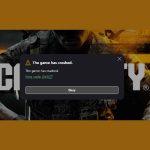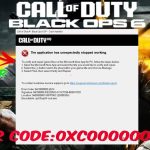
When you’re eager to drop into Black Ops 6 and get hit with “cod bo6 error cause 10,” it’s like slamming into a wall. This specific error, often accompanied by the dreaded “Lobby not found” message, is frequently tangled up with how your Xbox Game Pass subscription interacts with Activision’s licensing checks. Essentially, it’s the game telling you, “Hey, I can see you have Game Pass, but something’s off about how you’re trying to play this specific title.”
This isn’t just a generic network hiccup. More often than not, “Error Cause 10” in Black Ops 6 points directly to an authentication snag related to Game Pass entitlements, especially if you’re on a shared account or your console isn’t recognized as the primary “home” device. Understanding this link is your first step to getting back into the action.
At a Glance: Resolving Cod BO6 Error Cause 10
- Entitlement Check: “Error Cause 10” usually means Black Ops 6 can’t verify your Game Pass license.
- Home Xbox is Key: Ensure your Xbox console is designated as “My home Xbox” for seamless Game Pass access.
- No Sharing Allowed: Black Ops 6 often restricts game sharing via Game Pass, requiring a direct license.
- Account Alignment: Your Activision ID and Game Pass-linked Xbox account must be perfectly aligned.
- Re-authenticate: Clearing cache and re-logging into accounts often resolves temporary glitches.
Unpacking “Error Cause 10”: When Game Pass Entitlements Falter
Picture this: Black Ops 6, as a premium title available on Game Pass, has a very particular way of checking if you’re legitimately allowed to play it. When you encounter “cod bo6 error cause 10,” it’s often the game’s internal diagnostic code saying, “I tried to confirm your Game Pass subscription for this title, but something in the authorization process failed.”
This isn’t always about your internet connection being down; it’s about the game not receiving the ‘all clear’ from Xbox Live’s licensing servers. Microsoft’s Game Pass system, while fantastic for accessibility, has specific rules, especially for new, high-profile releases like Black Ops 6. These rules govern who can play, from where, and on what accounts. If there’s a mismatch—even a subtle one—between what the game expects and what your console or PC presents regarding your Game Pass entitlement, “Error Cause 10” can appear. It’s less about a technical bug in the game itself and more about a gatekeeper refusing entry due to a perceived credential issue.
The Nuances of Game Pass Licensing for Black Ops 6
While Game Pass is renowned for its family-sharing capabilities across consoles, not all games behave identically. For a major title like Black Ops 6, Activision and Xbox often implement stricter licensing checks. This means that traditional Game Pass sharing methods might not work for BO6, leading to specific entitlement errors.
Consider these common scenarios that often trigger “Error Cause 10”:
- The “Non-Home Xbox” Dilemma: If you play Black Ops 6 on an Xbox console that isn’t set as your “My home Xbox,” you’re relying on your active Game Pass subscription to authenticate each time you launch the game. If there’s a momentary server blip, a login issue, or if the primary Game Pass account holder isn’t signed in, you can hit this error. The “home Xbox” designation effectively pre-authorizes your console to play Game Pass titles even if the subscription holder isn’t actively logged in, acting as a crucial fallback for offline play or shared access.
- Shared Account Strictures: Attempting to play Black Ops 6 using a Game Pass subscription shared across multiple Activision IDs or Xbox profiles, especially if it’s not on the designated “home Xbox,” is a frequent culprit. Activision’s system often expects a direct, one-to-one link between the active Game Pass subscription and the Activision account trying to play the game. They want to ensure each player has a valid, distinct license, even if that license comes through Game Pass.
- PC Game Pass Authentication: On PC, the “home Xbox” concept doesn’t directly apply. Instead, it’s about which Microsoft account is logged into the Xbox app and the Microsoft Store, and whether that specific account has an active Game Pass subscription. If you have multiple Microsoft accounts on your PC, or if the wrong one is active when you launch BO6, the entitlement check can fail, leading to “Error Cause 10.”
These scenarios highlight that “Error Cause 10” is often a digital hand-slap, a warning that the licensing conditions aren’t perfectly met, rather than a deep technical malfunction.
Diagnosing the Game Pass Link: Is Your “Home Xbox” Set Correctly?
For console players, ensuring your Xbox recognizes the correct Game Pass entitlement often comes down to the “My home Xbox” setting. This might seem like a small detail, but it’s foundational for how Game Pass content is licensed and shared within a single console ecosystem.
To check and potentially fix this:
- Log in: On your Xbox, sign in with the Microsoft account that owns the Game Pass subscription.
- Access Settings: Press the Xbox button on your controller to open the guide.
- Navigate: Go to Profile & system > Settings > General > Personalization.
- Find “My home Xbox”: Select “My home Xbox.”
- Verify or Set:
- If “Make this my home Xbox” is available, select it. This designates this specific console as the primary device for your Game Pass subscription, allowing other profiles on that console to play your Game Pass games.
- If it says “This is my home Xbox,” and you’re still getting the error, ensure no other console is set as your home Xbox. You can change your home Xbox up to five times within a one-year period.
- Crucially, if you’re trying to play Black Ops 6 on a console other than your designated home Xbox, you must be signed in with the Game Pass-owning account. If that account isn’t signed in, the entitlement check will fail.
For PC Game Pass Users: The “home Xbox” setting isn’t relevant. Instead, focus on: - Correct Microsoft Account: Ensure you’re logged into the Xbox app and the Microsoft Store with the specific Microsoft account that has an active Game Pass subscription.
- Account Consistency: Double-check that your Activision account is linked to this same Microsoft account. Discrepancies here can confuse the entitlement checks.
- Restart the Xbox App: Sometimes, a simple restart of the Xbox app (or even your entire PC) can refresh authentication tokens.
Understanding these distinctions is vital because a general “Error Code 2901” might encompass a broad range of issues, but when “cod bo6 error cause 10” pops up alongside it, your focus should immediately narrow to these Game Pass-specific licensing pitfalls.
Resolving Cod BO6 Error Cause 10 for Game Pass Subscribers: A Practical Playbook
Let’s dive into the direct actions you can take to banish “Error Cause 10” and get back to your squad. These steps are designed to re-align your Game Pass entitlements with what Black Ops 6 expects.
Step 1: Secure Your “Home Xbox” Status (Console Users)
As discussed, this is paramount. Ensure the Xbox you’re playing on is the designated “home Xbox” for the Game Pass subscription account.
- Log in to the Game Pass owner’s profile: Even if you usually play on a different profile, log into the Microsoft account that holds the active Game Pass subscription first.
- Navigate to “My home Xbox”: Press the Xbox button > Profile & system > Settings > General > Personalization > My home Xbox.
- Make this your home Xbox: Select this option. If it’s already set, try removing it, restarting the console, and then re-adding it. This can often force a refresh of the license tokens.
- Restart Console: A full power cycle (hold power button for 10 seconds, unplug for 30 seconds) after changing this setting ensures the changes take effect.
Step 2: Re-login and Re-sync Activision & Xbox Accounts
Authentication tokens can get stale or corrupted. A fresh login often resolves these silent snags.
- Close Black Ops 6 completely: Ensure the game is not running in the background.
- Clear your console’s cache (Xbox): Perform a full power cycle. Hold the Xbox button on the console for 10 seconds until it powers off. Unplug the power cord from the back of the Xbox for at least 30 seconds. Plug it back in and restart. This clears system cache, including old authentication data.
- Clear Xbox App cache (PC):
- Close the Xbox app.
- Type
wsreset -iinto the Windows search bar and press Enter. This will open a blank command prompt window for about 30 seconds, then automatically open the Microsoft Store. This clears the Microsoft Store cache, which impacts the Xbox app. - Restart your PC.
- Re-login to Xbox/Microsoft Account: Sign out of your Microsoft/Xbox account everywhere (Xbox console, Xbox app on PC, Microsoft Store). Then, sign back in using the exact account that has the active Game Pass subscription.
- Re-login to Activision Account (within BO6): Launch Black Ops 6. When prompted, or through the game’s settings (gear icon) > “Account & Network,” clear any browser cache/cookies within the Activision login pop-up, then re-login to your Activision account. Ensure this Activision account is linked to the Microsoft account with Game Pass.
Step 3: Verify Active Game Pass Subscription
It sounds obvious, but sometimes a subscription might have lapsed, payment failed, or there’s a billing issue you’re unaware of.
- Check Xbox Account: Visit account.microsoft.com/services and log in with your Game Pass account. Verify that your Xbox Game Pass Ultimate or PC Game Pass subscription is active and shows no issues.
- Confirm Payment Method: Ensure the payment method linked to your subscription is valid and up-to-date.
Step 4: Avoid Game Sharing Pitfalls
Black Ops 6, particularly during its launch period, is often less forgiving with Game Pass sharing than older titles.
- Direct Entitlement: Assume that for Black Ops 6, your specific Xbox profile or PC Microsoft account needs to have the direct Game Pass subscription, or be playing on the “home Xbox” of the subscription owner, with the owner signed in.
- One Player, One License: If you’re encountering “Error Cause 10” and are playing on a shared Game Pass account (e.g., a friend’s subscription on your non-home Xbox, or multiple family members trying to play on separate consoles with one subscription), it’s highly likely this is the root cause. You may need to purchase your own Game Pass subscription or ensure you are always playing on the designated “home Xbox” with the subscription owner signed in.
Step 5: Power Cycle Everything (General Game Pass Troubleshooting)
While “Error Cause 10” is often Game Pass-specific, a full system refresh can never hurt and sometimes resolves underlying communication issues.
- Restart Your Console/PC: A complete shutdown and restart, not just sleep mode.
- Restart Your Router/Modem: Unplug your internet router and modem for a full minute. Plug them back in and wait for all indicator lights to stabilize before trying to launch BO6 again. This clears local network cache and refreshes your connection to Xbox Live and Activision servers.
If these Game Pass-specific steps don’t resolve your issue, remember that “Error Cause 10” can sometimes be a symptom of broader connectivity issues or server-side problems that affect many players. For a comprehensive guide on all potential causes and fixes for “Lobby Not Found” errors, including general server status checks and network troubleshooting, refer to our main article: Fix BO6 Lobby Not Found.
Case Snippets: When Game Pass Gets Tricky
Understanding these common scenarios helps solidify the specific nature of “cod bo6 error cause 10.”
- The Roommate Scenario (Xbox): Sarah has Game Pass Ultimate, and her Xbox is set as “My home Xbox.” Her roommate, Ben, plays BO6 under his own Xbox profile on Sarah’s console, and it works perfectly. However, when Ben tries to play BO6 on his own Xbox in his room, he gets “Error Cause 10” because his Xbox isn’t Sarah’s “home Xbox,” and he doesn’t have his own Game Pass. Solution: Ben needs his own Game Pass subscription or to always play on Sarah’s home Xbox.
- The Family Account (PC): The Johnson family shares a single PC Game Pass subscription, with the main Microsoft account managed by dad, Mark. His son, Alex, logs into his own Microsoft account on the PC to play, but he’s getting “Error Cause 10” in BO6. Solution: Alex needs to ensure he’s logged into the Xbox app and Microsoft Store with Mark’s Game Pass-owning Microsoft account, or Mark needs to designate Alex’s account as having access if possible, which is often not straightforward for Black Ops 6.
- The Disconnected Gamer (Xbox): Emily has Game Pass, and her Xbox is her “home Xbox.” She moves her console to a friend’s house, where the internet is spotty. She frequently gets “Error Cause 10.” Solution: While “home Xbox” usually helps with offline access, a completely unstable or disconnected internet can still cause issues when launching Game Pass titles, as initial entitlement checks often require some server communication. A stable connection is still necessary for the first launch or after a console restart.
These snippets highlight the delicate balance between Game Pass flexibility and the specific, often stricter, licensing requirements for a title like Black Ops 6.
Quick Answers: Your Cod BO6 Game Pass FAQs
Q: Can I really not share Black Ops 6 via Game Pass with a friend on a different console?
A: Generally, no, not directly in the traditional sense of ‘game sharing’ where they just download it and play on their own console without you signing in. Black Ops 6’s licensing for Game Pass is often tied more strictly to the “My home Xbox” setting for console users (allowing others on that specific console to play) or the active Game Pass subscription on the specific PC profile. Trying to bypass this often results in “Error Cause 10.”
Q: What if I have Game Pass Ultimate? Does that change anything?
A: Game Pass Ultimate simply bundles Game Pass for Console, PC Game Pass, and Xbox Live Gold. The underlying licensing logic for Black Ops 6’s entitlement checks remains the same. You still need to ensure your account (or your “home Xbox”) is correctly recognized as holding that active Ultimate subscription.
Q: Does clearing my cache delete my Black Ops 6 progress?
A: No, clearing your console’s or PC’s cache, or re-logging into your accounts, does not delete your game save data or progress. Your game progress is typically stored on Activision’s servers and sometimes locally as separate save files, which are unaffected by cache clearing or account re-authentication.
Q: Could “Error Cause 10” still be an Activision server issue, even if it points to Game Pass?
A: While “Error Cause 10” strongly points to a Game Pass entitlement problem, very rarely, if Activision’s or Xbox’s authentication servers are experiencing widespread downtime or issues, it could indirectly contribute. However, if that were the case, many other Game Pass titles would likely be affected, and general “Lobby not found” errors would be prevalent. Always check official server status pages for Xbox and Call of Duty/Activision as a first diagnostic step, but don’t let it distract from the Game Pass-specific fixes if “Error Cause 10” is your primary message.
Your Final Actions & What to Expect
When “cod bo6 error cause 10” throws a wrench in your Black Ops 6 plans, the path back to gameplay almost always starts with a critical look at your Game Pass setup. You’ve learned that this isn’t a random glitch but a specific signal that your game’s license isn’t being validated as expected by Activision’s servers through your Game Pass subscription.
Your immediate course of action:
- Prioritize “My home Xbox”: If you’re on console, make sure your primary playing Xbox is designated as your “home Xbox” for the Game Pass subscription owner. This is the single most impactful step for console users.
- Perform Account Hygiene: Sign out and back into all relevant accounts—your Microsoft/Xbox account, the Xbox app (on PC), and your Activision account within Black Ops 6. Clear any associated caches during this process.
- Confirm Subscription: A quick check of your Game Pass subscription status can avert unnecessary troubleshooting.
After systematically working through these Game Pass-centric solutions, relaunch Black Ops 6. Most players will find “Error Cause 10” disappears, allowing them to connect to lobbies and enjoy the game. If, after all these steps, the error persists, and you’re certain your Game Pass is active and correctly configured, it’s time to gather details and reach out to Activision Support, as there might be a unique account-specific issue at play. However, for the vast majority, the solutions lie squarely within ensuring their Game Pass entitlement is crystal clear.

- Cod BO6 Error Cause 10 Linked to Game Pass Server Woes - May 22, 2026
- How to Fix Error Cause 10 Error Code 2030 BO6 - May 21, 2026
- Resolve Black Ops 6 Error Code 2029 Game Connection Issues - May 20, 2026