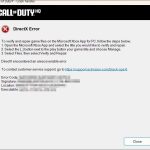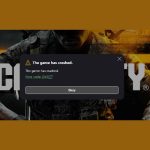
When you’re primed for action in Black Ops 6 and instead a stark message pops up — “Error Cause 10 Error Code 2030” — it’s an immediate buzzkill. This isn’t just a random string of numbers; it’s a specific diagnostic that often points to underlying issues preventing your game from properly connecting, authenticating, or even finding a lobby. While the broader “Lobby not found” (Error Code 2901) is frustrating enough, seeing this more detailed code narrows down the possibilities, guiding us directly to more targeted solutions.
At a Glance: What You’ll Learn & Do
- Decipher “Cause 10” and “Code 2030”: Understand what these specific error components typically signal in online game connectivity.
- Pinpoint Core Triggers: Discover the most common culprits, from account misconfigurations to network blocks.
- Systematic Troubleshooting: Follow a clear, step-by-step approach to identify and resolve the issue.
- Address Game Pass & Account Pitfalls: Learn how shared accounts and “Home Xbox” settings can impact this error.
- Network & File Integrity Checks: Know when and how to verify your connection and game installation.
Decoding “Error Cause 10 Error Code 2030”: More Than Just Numbers
Think of “Error Cause 10 Error Code 2030” as a specific diagnostic readout. In the intricate world of online gaming, servers and clients constantly communicate, and when that communication breaks down, error codes emerge.
- “Cause 10” often signifies a fundamental problem with authorization, authentication, or a critical connection establishment. It’s the game telling you, “Hey, the reason for this failure is a core permission or handshake issue.” This could mean your account isn’t properly licensed, your connection is being blocked at a vital stage, or the server is rejecting your attempt to join for a specific reason.
- “Error Code 2030” is the specific server response or client-side identification of what kind of authorization or connection failure occurred. It’s the detail that clarifies the “Cause 10.” For instance, it might indicate a specific type of license check failure, a denied access attempt, or a problem validating your game session.
Together, these codes frequently accompany or even trigger the broader “Lobby not found” message (Error Code 2901). When your system can’t properly authenticate with Activision’s servers or establish a crucial network handshake, it simply can’t find or create a lobby because it’s not even getting past the initial gateway.
The Usual Suspects Behind This Stubborn Error
Given the nature of “Cause 10 Error Code 2030,” the root causes often boil down to specific types of authentication, licensing, or connectivity failures. Here are the most common scenarios:
Account & Licensing Mismatches: The Sneaky Authorization Traps
This is arguably the most frequent offender for this specific error combination, especially for players on Xbox Game Pass. If your game can’t confirm your right to play, it throws an authorization failure.
- Game Pass Sharing Glitches: Black Ops 6, like many premium titles, doesn’t permit game sharing via Game Pass. If you’re trying to play through a friend’s shared Game Pass subscription, or if your primary account isn’t the one actively tied to the Game Pass, the game’s licensing check will fail. This is a classic “Cause 10: Authorization Denied” scenario.
- “Home Xbox” Confusion: For Xbox users, your console needs to be designated as the “Home Xbox” for the Game Pass account that owns Black Ops 6. If this isn’t set correctly, other profiles on the console (including your own if it’s a secondary account) might not be able to authenticate properly, leading to a license validation error.
- Activision Account Link Issues: Your Activision ID is the central hub for your game progress and entitlements. If this link becomes corrupted, desynced, or if cache issues prevent it from authenticating correctly, it can result in a “Cause 10” error.
Network Hurdles: When Your Connection Isn’t as Clear as You Think
While you might be online, specific network configurations or blocks can prevent the game from reaching critical services.
- ISP-Level Blocks: Some Internet Service Providers (ISPs) occasionally block specific ports or network actions that online games rely on. This isn’t common, but it can happen, preventing the game from fully connecting to authentication or matchmaking servers. The game might try to connect, but the attempt is silently rejected or timed out at a deeper level, presenting as an authorization failure.
- Router/Modem Glitches: Overloaded network caches in your router or modem can sometimes lead to transient connection issues that mimic authentication failures. A simple restart can often clear these.
Corrupted Game Data: A Foundation Crumbles
Less directly, but still a possibility: if essential game files related to network protocols or authentication modules are corrupted, the client might fail to initiate a proper connection or present valid credentials to the server. This would then lead to an authentication failure.
Behind-the-Scenes Server Snags: When It’s Not You, It’s Them
Occasionally, the problem isn’t on your end. Activision, Xbox, or Call of Duty servers undergoing maintenance, experiencing high traffic, or facing unexpected outages can trigger authentication and connection issues. The game tries to connect, but the server either refuses the connection or sends back an error code indicating it’s unavailable or cannot process the request.
Your Action Plan: Systematically Tackling Error Cause 10 Error Code 2030
Dealing with a specific error like “Cause 10 Error Code 2030” requires a systematic approach. Don’t just blindly try fixes; follow these steps to efficiently diagnose and resolve the issue.
Step 1: The Quick Checks – Your First Line of Defense
Before diving into complex solutions, always start here. These quick verifications often resolve transient issues.
- Check Server Status: This is non-negotiable. If Activision, Xbox, or Call of Duty servers are down for maintenance or experiencing outages, no amount of troubleshooting on your end will help.
- Visit the official Activision Support website.
- Check the Xbox Status page.
- Look for official Call of Duty announcements on Twitter/X or community forums.
- If servers are down: Patience is your best friend. Wait for maintenance to conclude.
- Restart Everything: A classic for a reason. This clears temporary glitches and refreshes connections.
- Game: Close Black Ops 6 completely and relaunch.
- Device: Power down your Xbox/PC/PlayStation entirely, wait 30 seconds, and restart.
- Router/Modem: Unplug your internet router and modem from power for at least 60 seconds, then plug them back in and wait for all indicator lights to stabilize before relaunching the game.
Step 2: Securing Your Account & Console Setup
Since “Cause 10 Error Code 2030” heavily points to authorization, these steps are critical, especially for Game Pass users.
- Verify Game Pass Ownership (No Sharing):
- Action: Ensure the Activision ID you are using is directly linked to the Xbox account that personally owns an active Game Pass Ultimate subscription. Black Ops 6 does not support Game Share.
- Pitfall: Trying to play through a friend’s Game Pass.
- Scenario: If you previously could play via a shared account, recent updates might have tightened restrictions, leading to this error.
- Confirm “My Home Xbox” Setting (Xbox Users): This ensures your console has full licensing rights.
- Log in to the Xbox account that owns the Game Pass subscription.
- Press the Xbox button on your controller to open the guide.
- Navigate to Profile & system > Settings > General > Personalization.
- Select My home Xbox.
- If it’s not already set, choose “Make this my home Xbox.”
- If it’s already set: You can try “Remove this as my home Xbox” and then “Make this my home Xbox” again to refresh the license.
- Re-login to Activision Account: A fresh login can clear corrupted authentication tokens or cached data.
- Launch Black Ops 6 via Game Pass.
- Access the Settings menu (usually a gear icon).
- Select “Account & Network.”
- Look for an option to clear browser cache and cookies from the pop-up window that appears. This is crucial for a clean re-login.
- Proceed to re-login to your Activision account within the game.
Step 3: Ensuring Game File Integrity
Corrupted game files can subtly undermine authentication or connection processes, even if they don’t crash the game outright.
- Scan and Repair Game Files: This process identifies and replaces any damaged or missing game data.
- Battle.net: Open Battle.net app > Go to Call of Duty: Black Ops 6 > Click the cogwheel icon next to “Play” > Select “Scan and Repair” > Click “Begin Scan.”
- Steam: Open Steam Library > Right-click “Call of Duty: Black Ops 6” > Select “Properties” > Go to the “Installed Files” (or “Local Files”) tab > Click “Verify integrity of game files.”
- Xbox App (PC): Open Xbox app > Right-click “Call of Duty: Black Ops 6” > Go to “Manage” > Select the “Files” tab > Click “Verify and Repair.”
Step 4: Network Deep Dive – When Your Connection is the Culprit
If the problem persists after checking accounts and files, your network might be the issue.
- Use a Different Internet Connection: This is the ultimate test to rule out an ISP-level block.
- Action: Try connecting your gaming device to a mobile hotspot from your phone or a completely different internet network if available.
- Outcome: If the game works on the alternative connection, your primary ISP is likely blocking something.
- Next Step: Contact your primary ISP. Explain that you’re experiencing “Error Cause 10 Error Code 2030” in Black Ops 6, which indicates an authentication/connection failure, and that the game works on a different network. Ask them to investigate any potential blocks or strict NAT settings on their end for gaming-related traffic.
- Consider a Wired Connection (Ethernet): If you’re currently on Wi-Fi, temporarily switch to a wired Ethernet connection to rule out wireless interference or instability.
- For a deeper dive into “Lobby Not Found” issues which often overlap with “Error Cause 10 Error Code 2030,” including a comprehensive look at network troubleshooting and other solutions, our main guide offers extensive details on the Black Ops 6 Lobby Not Found Fix.
Step 5: Last Resort & Advanced Considerations
These are less common but still worth noting if previous steps haven’t worked.
- Update Graphics Drivers: While not a direct fix for authentication errors, outdated graphics drivers can sometimes cause unexpected stability issues that indirectly affect game processes, including connectivity. Always ensure your drivers are up to date from NVIDIA, AMD, or Intel.
- Contact Activision Support: If you’ve diligently followed all the above steps and the error persists, it’s time to escalate.
- Provide them with the exact error code (“Error Cause 10 Error Code 2030”), details of your platform (e.g., Xbox Series X, Game Pass, PC via Battle.net), and a clear rundown of all the troubleshooting steps you’ve already attempted. This saves time and helps them provide more targeted assistance.
Real-World Scenarios: How Players Encounter This Error
Understanding how others hit this roadblock can illuminate your own situation.
- Scenario 1: The “Home Xbox” Reset: Sarah recently upgraded her Xbox, and while her Game Pass transferred, she forgot to designate her new console as her “Home Xbox.” Her son, trying to play Black Ops 6 on her account, kept hitting “Error Cause 10 Error Code 2030.” Once she set the new console as Home Xbox, the error vanished.
- Scenario 2: The Silent ISP Block: Mark had been playing Black Ops 6 fine for weeks. Suddenly, “Error Cause 10 Error Code 2030” appeared, preventing him from joining any game. After checking everything, he tethered his PC to his phone’s hotspot, and the game worked instantly. His ISP had, without warning, implemented a new firewall rule that was blocking specific ports Activision uses for authentication. A call to his ISP resolved it.
- Scenario 3: The Ghost of a Shared Account: Emily tried to play Black Ops 6 through her sister’s Game Pass, which worked for other titles. When she launched BO6, she repeatedly got the “Error Cause 10 Error Code 2030.” She realized Black Ops 6’s stricter licensing meant she needed her own Game Pass subscription or to play on the primary account.
Quick Answers to Common Questions
Is Error Cause 10 Error Code 2030 always my fault?
Not always. While many fixes involve client-side actions (your account, your network), the issue can sometimes stem from server-side problems (maintenance, outages) or even a hiccup with your ISP. Always check server status first to rule out external factors.
Can using a VPN help or hurt?
A VPN can sometimes bypass ISP-level routing issues or blocks if your ISP is the root cause. However, VPNs can also introduce their own latency and connection problems, or even trigger anti-cheat measures if not configured correctly. Use it as a diagnostic tool cautiously; if it fixes it, great, but test without it first.
How long does it usually take to fix this error?
The time it takes depends entirely on the root cause. A simple restart might fix it in minutes. An account misconfiguration might take 10-15 minutes to reconfigure. An ISP issue could take hours or even days if you need to contact them. Server maintenance usually has a publicized timeframe.
Does this error mean my account is banned or suspended?
Highly unlikely. “Error Cause 10 Error Code 2030” points to an authentication, licensing, or connection failure, not a punitive action against your account. Bans usually come with much clearer, more direct messages about account violations.
Your Next Move: Getting Back into the Fight
Encountering “Error Cause 10 Error Code 2030” can be a roadblock, but it’s a solvable one. The most effective strategy is to approach it systematically. Start with the quick, easy checks like server status and restarts. If those don’t work, pivot to account and console settings, especially if you’re a Game Pass user. Only then should you delve into network diagnostics and file integrity. Remember, patience and methodical troubleshooting are your greatest assets. With a bit of persistence, you’ll be back in the Black Ops 6 lobby, ready for deployment.

- Understanding Error Cause 10 Error Code 2030 and How to Fix It - May 6, 2026
- Black Ops 6 Error Code 10 Fixes for Players - May 5, 2026
- Fix Error Code 2029 BO6 Problems in Black Ops 6 - May 4, 2026