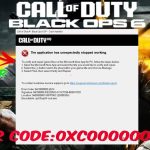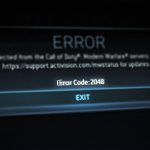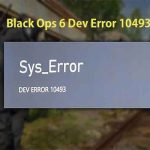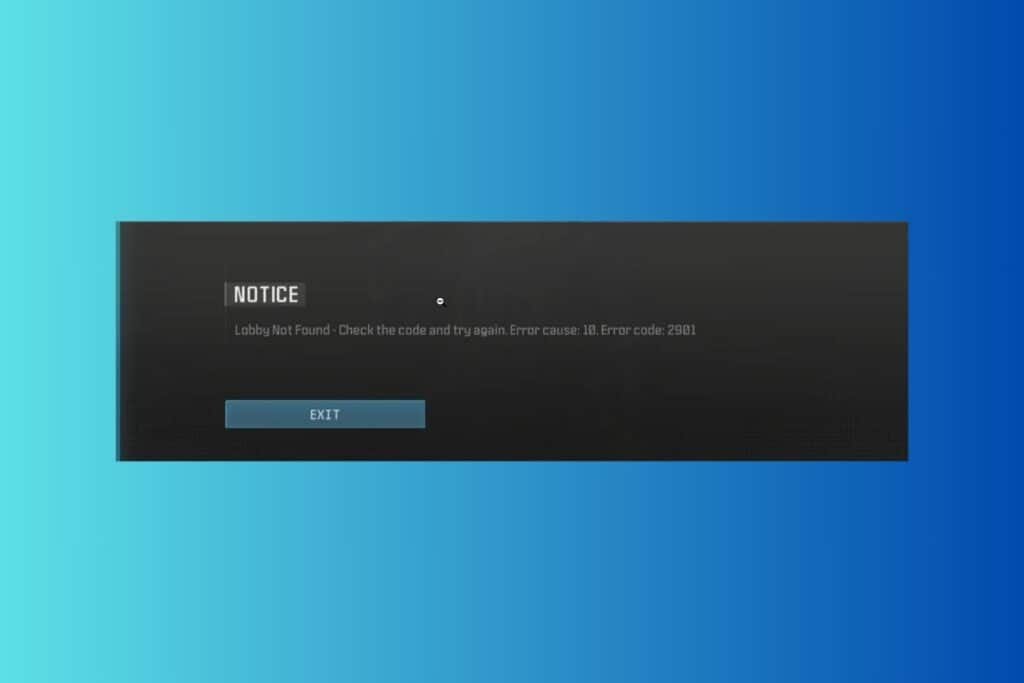
When your Black Ops 6 session is abruptly halted with a “Lobby Not Found” message and the ominous “Error cause: 10” tag, it’s more than just a minor inconvenience – it’s a direct signal that your game is hitting a specific roadblock in connecting you to the online world. This isn’t a random glitch; “cause 10” often points to identifiable issues, making it surprisingly straightforward to troubleshoot if you know where to look.
At a Glance: Solving Bo6 “Lobby Not Found” Error Cause 10
- Verify Server Status First: Always check Xbox, CoD, and Activision servers before attempting other fixes.
- Account Hygiene is Key: Shared Xbox Game Pass accounts are a primary suspect for “cause 10”; ensure your Activision ID is linked to a primary account.
- Relogging Works Wonders: A simple Xbox account re-login can refresh licenses and permissions.
- Test Your Network: Isolate local network issues by trying a different internet connection (e.g., mobile hotspot).
- Clear Browser Cache: For Game Pass users, accumulated browser cache can interfere with login tokens.
- Scan & Repair Game Files: Corrupted game data, while less common for “cause 10,” can still prevent proper connection.
The “Error cause: 10” code often appears as a specific flavor of the broader Error Code 2901 in Black Ops 6, indicating a failure to establish or join a game lobby. While Error 2901 encompasses various connection problems, “cause 10” frequently narrows the focus to particular account, licensing, or localized network authentication challenges. It’s essentially the game’s way of saying, “I tried to get you into a lobby, but something specific blocked the handshake.”
For a comprehensive overview of the overarching Error Code 2901 and its various manifestations, you can refer to our detailed guide: Black Ops 6 Error 2901 Fix. However, here, we’ll zero in on the unique implications and targeted solutions for “Error cause: 10.”
Understanding the Roots of “Cause 10”
When Black Ops 6 throws a “Lobby Not Found, Error cause: 10,” it typically signifies one of two primary categories of failure: an authentication or licensing hiccup, or a localized network blockade preventing the initial connection.
- Account & Licensing Mismatches: This is often the most direct trigger for “cause 10,” especially for Xbox Game Pass players. The game’s servers attempt to verify your ownership or access rights to Black Ops 6, but if there’s a discrepancy—like using a shared Game Pass account that’s explicitly disallowed for this title—the connection is immediately rejected. Your system simply can’t prove it has the proper ‘ticket’ to enter a lobby, leading to the specific “cause 10” rejection.
- Network Authentication Failures: Less about your actual internet speed and more about how your system talks to Activision’s authentication servers. If your local network, ISP, or cached data is somehow corrupting or blocking these specific authentication requests, the game fails to establish the initial connection needed to even look for a lobby, presenting you with “cause 10.” It’s like having a working phone but being unable to dial the central switchboard.
Strategic Fixes for “Bo6 Lobby Not Found Error Cause 10”
Addressing “Error cause: 10” requires a systematic approach, starting with the most common culprits and moving to deeper technical checks.
1. Rule Out External Factors: Server Status Check
Before diving into your own system, always perform a quick external check. Sometimes, “cause 10” can be a generic response when the game servers themselves are experiencing issues, making it impossible for anyone to find a lobby, regardless of their individual account or network setup.
- How to Check: Visit the official server status pages for:
- Xbox Live Status: Check for service outages affecting gaming and multiplayer.
- Activision Online Services: Look for specific Call of Duty service alerts.
- Call of Duty Updates Twitter/X: Treyarch and Call of Duty often post real-time updates on server health or known issues here.
- The “Wait It Out” Scenario: If servers are down, under maintenance, or overloaded (a common occurrence with new game launches or major updates), the only fix is patience. No amount of troubleshooting on your end will bypass a server that isn’t accepting connections. Treyarch has openly acknowledged connection issues during new releases, so this is a genuine possibility.
2. Deep Dive into Account & Licensing Issues (Primary for Cause 10)
This category is a prime suspect for “cause 10,” particularly for Xbox Game Pass users. The game is likely rejecting your access based on your licensing credentials.
Pitfall: Shared Xbox Game Pass Accounts
Activision has made it clear that Black Ops 6, when accessed via Xbox Game Pass, is often not compatible with game-sharing arrangements. If your Game Pass subscription isn’t the primary one linked to your active Activision ID, or if you’re playing on a console where Game Pass is shared, this is very likely your “cause 10” trigger.
- The Fix:
- Use Your Primary Account: Ensure the Xbox account you’re actively using to play Black Ops 6 has its own, non-shared Xbox Game Pass subscription directly linked.
- Verify Activision ID Link: Double-check that your Activision ID is correctly and primarily linked to your personal Xbox Game Pass-enabled Xbox account. If it’s linked to a different account, this conflict can trigger the “cause 10” error.
Action: Re-logging into Your Xbox Account
A simple re-login can often refresh your account’s licenses and permissions, resolving temporary authentication glitches that lead to “cause 10.” Think of it as forcing your console to re-verify all your entitlements from scratch.
- Step-by-Step for Xbox:
- Remove Account: Press the Xbox button on your controller to open the guide. Navigate to Profile & system > Settings > Account > Remove accounts. Select your profile and confirm its removal from the console. This doesn’t delete your account; it just removes its local cache from the console.
- Power Cycle Console: Press and hold the Power button on your Xbox console for 10 seconds until it completely shuts down.
- Unplug & Wait: Disconnect the power cord from the back of the console. Wait 30 seconds to ensure all residual power is drained.
- Reconnect & Restart: Plug the power cord back in and press the Power button to turn on your console.
- Re-add Account: Sign back into your Xbox profile. Your console will download your profile data afresh.
- Relaunch Black Ops 6: Try launching the game again and see if “cause 10” persists.
PlayStation Specific: Restoring Licenses
For PlayStation players encountering a “Lobby Not Found” with “cause 10,” a license restoration can often clear up access issues. This process refreshes your console’s digital rights to all your purchased and subscribed content.
- Step-by-Step for PlayStation (PS4/PS5):
- Navigate to Settings: From your PlayStation home screen, go to Settings.
- Account Management: Select Account Management.
- Restore Licenses: Choose Restore Licenses and confirm.
- Relaunch Game: Once the process is complete (it’s usually very quick), relaunch Black Ops 6.
3. Resolving Network & Cache Issues
Sometimes, “cause 10” isn’t about your account per se, but about your system’s inability to communicate effectively with the game’s servers due to local network interference or corrupted cached data.
Troubleshooting Your Internet Connection
Your Internet Service Provider (ISP) might be blocking certain network actions or ports that Black Ops 6 needs to establish a lobby connection. This is less common but can definitively cause “cause 10.”
- The Mobile Hotspot Test (Crucial Diagnostic Step):
- Connect to Hotspot: Use your smartphone to create a mobile hotspot. Connect your gaming device (console or PC) to this hotspot instead of your primary home Wi-Fi or wired connection.
- Launch Game: Attempt to launch Black Ops 6 and find a lobby.
- Interpret Results:
- If it works: This strongly indicates your primary home internet connection or router settings are the source of the “cause 10” problem. You’ll need to contact your ISP to investigate potential blocks or unusual network configurations. You might need to ask them about NAT type issues or specific port forwarding for Call of Duty titles.
- If it still fails: This suggests the problem is likely not your primary internet connection, but rather an account, game file, or server-side issue.
Clearing Cached Data (Crucial for Game Pass Users)
Many Game Pass users access Black Ops 6 through the Xbox app on PC, which relies on a browser-like interface for authentication. Corrupted browser cache can interfere with your login tokens, leading to “cause 10” when the game tries to authenticate.
- Step-by-Step for Game Pass (PC):
- Launch Game: Open Black Ops 6 through the Xbox Game Pass app.
- Access Settings: Once in the game, look for a gear icon or similar to access the game’s settings.
- Account & Network: Select the ‘Account & Network’ section. This action often opens an external browser tab for Activision account management or network settings.
- Clear Browser Data: In the opened browser tab, locate the 3-dot icon (usually top-right for Chrome-based browsers) or the settings menu.
- Select ‘Clear browsing data’.
- Choose Parameters: Ensure ‘Cookies and other site data’ and ‘Cached images and files’ are selected. For the time range, choose ‘All time’ for a thorough clear.
- Hit ‘Clear data’.
- Re-login: You will likely be prompted to log back into your Activision account within the game. Do so, then try to find a lobby. This process forces a fresh authentication handshake.
4. Verify Integrity of Game Files
While less frequently the direct cause of a specific “Error cause: 10,” corrupted or missing game files can lead to general instability or prevent critical network components of the game from functioning correctly. If the game client itself is broken, it can’t even try to establish a lobby connection.
- Step-by-Step for PC Platforms:
- Steam:
- Open your Steam Library.
- Right-click on Call of Duty (Black Ops 6).
- Select Properties.
- Go to the ‘Installed Files’ tab.
- Click ‘Verify integrity of game files’. Steam will scan and re-download any corrupted or missing files.
- Battle.net:
- Open the Battle.net Desktop App.
- Select Call of Duty from your game list.
- Click the cog wheel icon (Options) next to the ‘Play’ button.
- Choose ‘Scan and Repair’.
- Click ‘Begin Scan’.
- Xbox App (PC):
- Open the Xbox App.
- From your list of installed games, find Call of Duty (Black Ops 6).
- Right-click on the game tile.
- Select ‘Manage’.
- Go to the ‘Files’ tab.
- Click ‘Verify and Repair’.
Practical Playbook: Your “Cause 10” Decision Tree
Here’s a streamlined approach to resolving “Bo6 Lobby Not Found Error Cause 10”:
- Immediate Check (5 minutes):
- Are the official Xbox, Call of Duty, or Activision servers down? (Check official status pages/Twitter).
- YES: Wait. Nothing else will work.
- NO: Proceed to step 2.
- Account & Licensing Refresh (10 minutes):
- Are you using a shared Xbox Game Pass account for Black Ops 6?
- YES: Switch to a primary account or acquire your own Game Pass subscription. This is a common “cause 10” trigger.
- NO: Continue.
- Xbox: Perform a full Xbox account re-login and console power cycle (as detailed above).
- PlayStation: Restore your licenses (as detailed above).
- Test: Relaunch Black Ops 6. Does “cause 10” persist?
- NO: Great, you’re good to go.
- YES: Proceed to step 3.
- Network Authentication Isolation (15 minutes):
- PC (Game Pass): Clear your Xbox app’s browser cache (as detailed above).
- All Platforms: Perform the mobile hotspot test. Does Black Ops 6 work on the hotspot?
- YES: Your primary ISP or home network is the issue. Contact your ISP for assistance or troubleshoot your router settings (NAT type, port forwarding).
- NO: Proceed to step 4.
- Game File Integrity (Time Varies):
- All Platforms: Verify the integrity of your game files (Steam, Battle.net, or Xbox App as detailed above).
- Test: Relaunch Black Ops 6. Does “cause 10” persist?
- NO: Success!
- YES: This is rare after the above steps. Proceed to step 5.
- Final Escalation:
- If “cause 10” still haunts your game, it’s time to contact Activision Support. Provide them with a detailed list of all the troubleshooting steps you’ve already taken. This helps them escalate the issue effectively.
Quick Answers: Common “Cause 10” Questions
Q: Is “Error cause: 10” always related to my Game Pass subscription?
A: Not always, but it’s an extremely common cause, especially with the game-sharing restrictions for Black Ops 6. If you’re on Game Pass and see “cause 10,” checking your subscription and account linking should be your first priority after server status.
Q: Can my Internet Service Provider (ISP) genuinely cause “cause 10”?
A: Yes. While it’s less common than account issues, an ISP might have strict network policies, firewalls, or NAT types that interfere with the specific connection Black Ops 6 needs for lobby authentication. The mobile hotspot test is your best diagnostic tool for this.
Q: Why does “cause 10” sometimes appear intermittently, then disappear on its own?
A: Intermittent “cause 10” often points back to fluctuating server load on Activision’s side, temporary network hiccups with your ISP, or transient authentication issues. If it’s brief, it might just be the game servers catching up or a small local network blip resolving itself.
Q: Will reinstalling Black Ops 6 fix “Error cause: 10”?
A: A full reinstall is typically a last resort. Verifying game files (as described above) is almost always sufficient to repair any corrupted game data without the lengthy download of a full reinstall. Only consider a reinstall if file verification fails multiple times and you’ve exhausted all other options.
Your Path Back to the Lobby
Encountering “Bo6 Lobby Not Found Error Cause 10” can be frustrating, but by systematically working through the potential causes—starting with server checks, moving through account and licensing verification, isolating network issues, and finally checking game files—you dramatically increase your chances of a swift resolution. Remember, “cause 10” is a specific error signal, often highlighting an authentication or initial connection block, which means a targeted approach is often all it takes to get you back into the action. Good luck, and may your lobbies be ever found!

- Resolve Black Ops 6 Error Code 2029 Game Connection Issues - May 20, 2026
- How To Fix Error Code 2030 BO6 with Effective Solutions - May 19, 2026
- Error Code 2029 BO6 Ranked Not Working? Try These Fixes - May 18, 2026