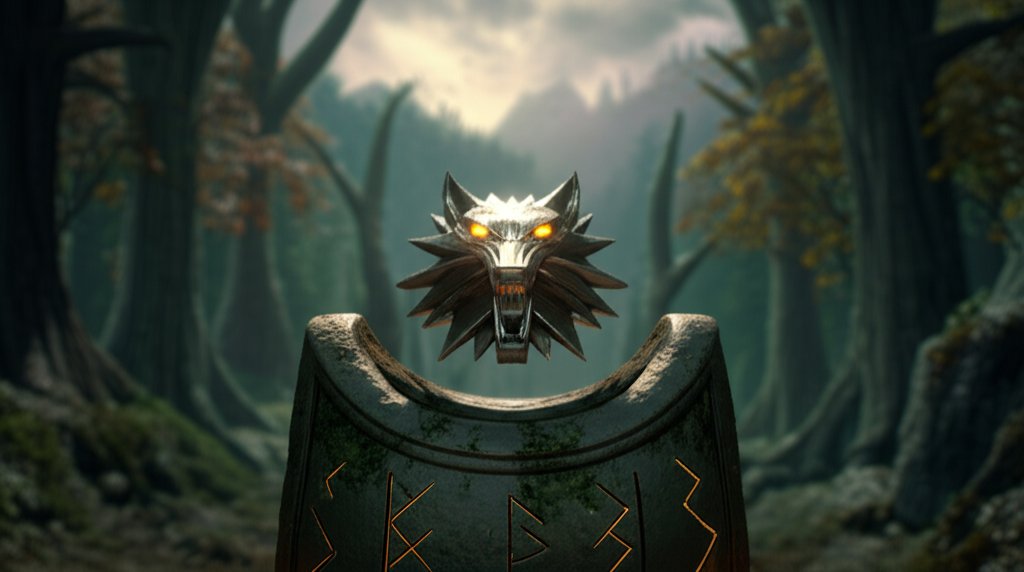
The Witcher 3: Wild Hunt is already a masterpiece, a sprawling dark-fantasy epic that set a new standard for open-world RPGs. But what if you could make it even better? That’s the promise of a great witcher3 mod. Whether you want to overhaul the graphics until they rival today’s top titles, eliminate nagging inventory chores, or completely reinvent the combat system, the modding community has you covered.
This isn’t just about cheating or breaking the game. It’s about tailoring an already legendary experience to be your perfect adventure. It’s about breathing new life into the Continent, making your tenth playthrough feel as fresh and exciting as your first.
Your Modding Journey at a Glance
New to modding? Don’t worry. Here’s the simple breakdown of what you need to know to get started.
- What’s Possible? Almost anything. From stunning 4K texture overhauls and quality-of-life tweaks (like auto-applying oils) to massive gameplay overhauls that change combat, skills, and the economy.
- Is It Hard? Not anymore. Tools like the Vortex Mod Manager make installation a near one-click process. Manual installation is also an option for those who like more control.
- Is It Safe? Yes, as long as you stick to reputable sources like Nexus Mods. The biggest risk is corrupting a save file, which is why backing up your data is the golden rule.
- What You Need: A copy of The Witcher 3 (Steam/GOG/Epic), a free Nexus Mods account, and an archive program like 7-Zip. That’s it.
Before You Begin: The Pre-Flight Checklist
Jumping straight into downloading mods is tempting, but a few minutes of prep work will save you hours of headaches later. Think of this as Geralt checking his potions and oils before a contract.
1. Check Your Game Version
This is the single most important step. The Witcher 3 has two major versions in the wild: the original release (v1.32 and below) and the Next-Gen Update (v4.0 and above). Many older mods are not compatible with the Next-Gen version without a specific patch.
- How to check? Your game launcher (Steam, GOG Galaxy) will show the version number.
- Rule of thumb: Always read a mod’s description page for compatibility information. Mod authors are usually very clear about which game version their creation supports. This is especially critical when looking for Witcher 3 Next-Gen Mods.
2. Back Everything Up (Seriously)
If you ignore every other piece of advice, please listen to this one. Modding alters game files, and sometimes things go wrong. A simple backup is your “undo” button.
- Game Folder: Copy your entire The Witcher 3 folder to another location (like an external drive or a different folder on your PC).
- Steam:
C:\Program Files (x86)\Steam\steamapps\common\The Witcher 3 - Epic Games:
C:\Program Files\Epic Games\The Witcher 3 - Save Files: Your saves are precious. Back them up separately.
- Location:
C:\Users\<your_username>\Documents\The Witcher 3\gamesaves
3. Get the Essential Software
You’ll need a couple of free tools to handle the files.
- Nexus Mods Account: The central hub for almost all Witcher 3 mods. You’ll need a free account to download files. The site is a treasure trove of Witcher Nexus mods.
- 7-Zip or WinRAR: Mods are usually downloaded as compressed files (.zip, .rar, .7z). You’ll need a program like 7-Zip (recommended and free) to open them.
Installing Your First Mod: Choose Your Path
There are two primary ways to install mods: the easy, automated way with a mod manager, or the traditional manual way.
The Recommended Route: Vortex Mod Manager
For 99% of users, a mod manager is the best choice. It automates installation, helps manage load order, and makes enabling or disabling mods as easy as clicking a checkbox. Vortex is the official manager from Nexus Mods.
- Download and Install Vortex: Grab it from Nexus Mods, install it, and log in with your Nexus account.
- Scan for Your Game: In Vortex, go to the “Games” tab and find The Witcher 3. Click “Manage.” If it doesn’t find it automatically, you’ll need to point it to your game folder manually.
- Download a Mod: Head to the Witcher 3 section on Nexus Mods. Find a mod you like and click the “Mod Manager Download” button. This will send the file directly to Vortex.
- Install and Deploy: In Vortex’s “Mods” tab, you’ll see your downloaded mod. Click to “Install” it, then “Enable” it. A final click on “Deploy Mods” finalizes the process, and you’re ready to play!
This is the core of any good Witcher 3 Modding Guide because it simplifies the entire process.
The Manual Method: For Hands-On Control
This method gives you a better understanding of how mods work but is more prone to error.
- Download Manually: On a mod’s page, choose the “Manual Download” option.
- Extract the File: Use 7-Zip to open the downloaded archive.
- Find the ‘mod’ Folder: Inside, you’ll find a folder whose name starts with
mod...(e.g.,modAutoApplyOils). - Place it in Your Game’s ‘Mods’ Folder: Navigate to your Witcher 3 installation directory. If a folder named
Modsdoesn’t exist, create one. Copy themod...folder into it.
- Example Path:
...\The Witcher 3\Mods\modAutoApplyOils
Some mods also have configuration files. These typically go inThe Witcher 3\bin\config\r4game\user_config_matrix\pc. Always read the mod’s installation instructions!
The Modder’s Toolkit: Absolutely Essential Utilities
As you add more mods, you’ll need a couple of specialized tools to keep them playing nicely together. Don’t skip these.
Script Merger: The Peacemaker
What it does: Many mods edit the same game scripts, creating conflicts that can crash your game. Script Merger detects these conflicts and helps you merge the changes into a single, working file.
When to use it: Any time you have more than one mod that changes game logic (e.g., combat, UI, quests). After installing a batch of mods, run Script Merger. It will automatically scan for conflicts and, in most cases, merge them with a single click.
Mod Limit Fix: Break the Chains
What it does: By default, The Witcher 3 can only load a limited number of mods (around 50). This tool removes that limit, allowing you to build the massive mod list of your dreams.
When to use it: Install this if you plan on using more than a few dozen mods. It’s a simple install-and-forget utility that prevents mysterious crashes caused by hitting the engine’s hidden limit.
The Best Witcher 3 Mods to Install Right Now
With thousands of options available, finding the right ones can be daunting. Here is a curated list of some of the Best Witcher 3 mods to get you started, from essential fixes to game-changing overhauls.
Must-Have Essentials
These are foundational mods that improve the game without drastically changing the core experience.
- The Witcher 3 HD Reworked Project NextGen Edition: This is the undisputed king of visual mods. It meticulously remasters thousands of textures, models, and materials to a stunning level of detail, making the game look like it was released yesterday.
- Fast Travel from Anywhere: Does what it says. You no longer need to find a signpost to fast travel. A huge time-saver, but be warned: it can occasionally interfere with quests that trigger in specific locations.
- All Quest Objectives on Map: Tired of tracking quests one at a time? This mod displays the objectives for all your active quests on the world map simultaneously.
- AutoLoot – The Next Generation: Automatically picks up loot from enemies and containers in a configurable radius around Geralt. No more mashing the loot button after every fight.
- Auto Apply Oils: A game-changer. This mod automatically applies the correct blade oil for the enemy you’re about to fight. It’s smart, seamless, and saves you a ton of menu time.
Quality-of-Life Upgrades
These mods sand down the small, rough edges of the vanilla experience.
- Over 9000 – Weight limit mod: Effectively removes the inventory weight limit, letting you carry as much as you want.
- Always Full Exp: Prevents low-level “grey” quests from giving you pitiful experience points. Now every quest feels rewarding.
- Indestructible Items: Removes weapon and armor degradation. If you find durability mechanics tedious, this is for you.
- Stack Your Items: Increases the stack limit for potions, ingredients, and other items to 999, freeing up precious inventory space.
- No Intro/Recap Videos: Skips the recap videos that play every time you load a save game.
Gameplay Changers & Enhancements
Ready to alter the way you play? These mods add new mechanics or tweak existing ones.
- Friendly HUD: Offers unparalleled customization of your user interface. You can hide elements, create 3D markers for quests, and even use a radial menu for quick access to items.
- Increased Creature Loot: Makes hunting monsters more profitable by increasing the quantity and variety of loot they drop.
- Jump in Shallow Water: A simple but brilliant mod that lets Geralt do something he inexplicably can’t in the base game: jump in shallow water.
- Multi Companion Mod Enhanced: Allows you to recruit companions to follow you on your journey. You can even play as other characters, like the sorceresses, complete with their own unique magic systems.
Total Overhauls: For a New Adventure
If you’ve played the game to death and want a completely new challenge, these overhauls are for you. They change everything from combat to character progression.
- FCR3 – Immersion and Gameplay Tweaks: Created by a senior gameplay designer at CD Projekt Red, this mod is a collection of bug fixes, balance changes, and restorations of cut content. It’s considered by many to be a “director’s cut.”
- The Witcher 3 Enhanced Edition: A massive, complex overhaul that reworks combat, alchemy, signs, and the economy from the ground up. It’s a much more difficult and tactical experience, not for the faint of heart.
- No Levels: This ambitious mod removes the leveling system entirely from the game—for Geralt, enemies, and gear. Skill, not stats, determines the outcome of a fight.
This is just a small sample of the available Best Witcher 3 mods; the community is constantly creating new and exciting content.
Common Questions, Answered
Can I get banned for using mods?
No. The Witcher 3 is a single-player game, and CD Projekt Red actively supports the modding community.
Will mods disable achievements?
Some might, especially those that use the debug console or drastically alter gameplay. A mod called “Achievement Enabler” can often re-enable them, but it’s not a guarantee.
How do I uninstall a mod?
If you used Vortex, simply disable and then uninstall the mod from the manager. If you installed it manually, you must delete the mod’s folder from your \Mods directory.
I installed a mod and my game is crashing! What do I do?
This is usually due to a mod conflict. Run Script Merger first. If that doesn’t work, try disabling your most recently installed mods one by one until you find the culprit.
Forge Your Own Path
Modding transforms The Witcher 3 from a static product into a living platform for creativity. It empowers you to fix what you find annoying, enhance what you love, and completely reshape the experience to your liking. The tools are accessible, the community is vibrant, and an entirely new version of the Continent is waiting for you.
For those truly dedicated, you can even go a step further. You can Explore Witcher Redkit, the official modding toolset from CD Projekt Red, and begin creating your own adventures. So fire up Nexus, grab a few mods, and prepare to fall in love with Geralt’s world all over again.

- Xbox Crashing? Heres How to Fix Your Console - March 29, 2026
- Why Do My Xbox Games Keep Crashing? Unpacking the Reasons - March 28, 2026
- Xbox Series X Games Crash? Try These Proven Fixes - March 27, 2026